Intel® Server D50DNP Family Integration and Service Guide
68
3.4.3 PCIe* Add-In Card Installation
The following procedures are identical for both 1U and 2U riser card assemblies.
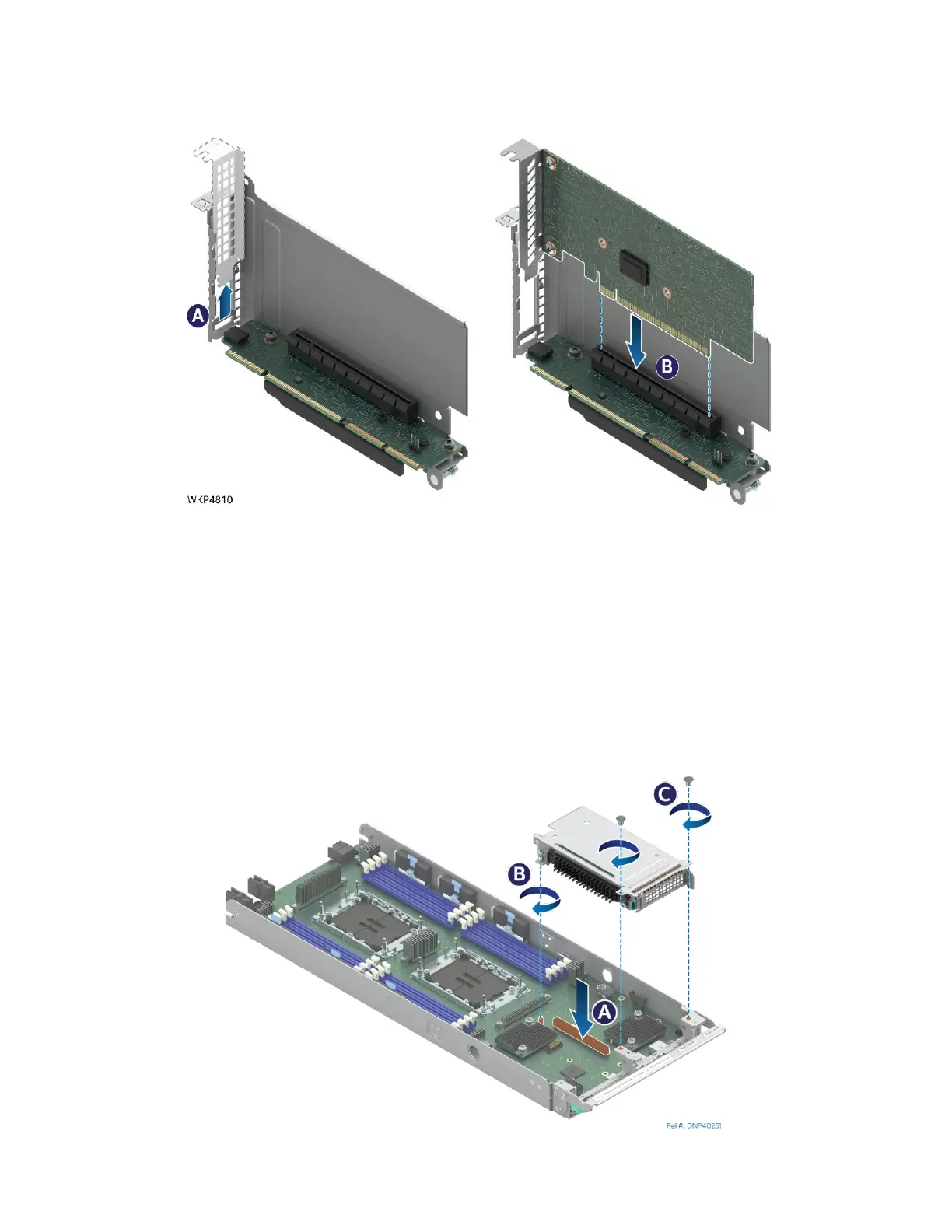
Figure 72. Installing an Add-In Card
• If present, carefully remove the metal filler plate from the metal frame of the riser assembly
(see Letter A).
• Align the bracket of the add-in card to the opening of the riser assembly.
• Carefully push the add-in card into the PCIe* slot (see Letter B). Ensure that the add-in card is fully
seated.
• If necessary, repeat the installation steps for additional add-in cards.
3.4.4 Standard Riser Assembly Installation
Figure 73. Installing a Standard Riser Assembly into the Chassis
assembly shown



 To Next Page