Intel® Server D50DNP Family Integration and Service Guide
87
3.9 Trusted Platform Module (TPM) Installation
This section provides instructions how to install a Trusted Platform Module (TPM) in the system. Refer to the
Intel® Server D50DNP Family Configuration Guide for available options. The TPM kit comes with two different
screws: Phillips* head screw and a tamper resistant head screw. The tamper resistant screw can be installed
only once. Intel recommends securing the TPM with the tamper resistant screw.
Required Tools and Supplies
• Intel TPM accessory kit
• Anti-static wrist strap and conductive workbench pad (recommended)
• Medium flat-head screwdriver
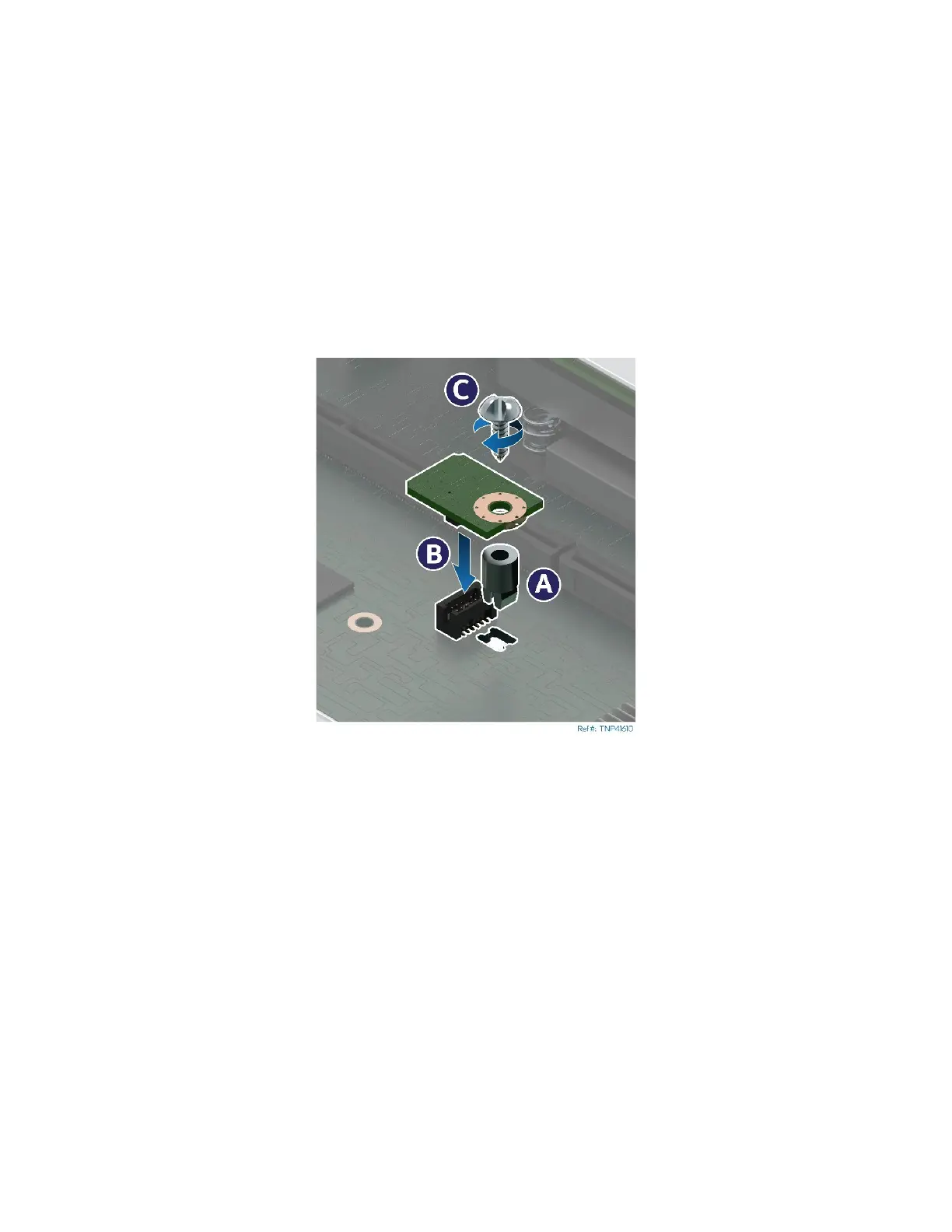
Figure 100. Installing the Trusted Platform Module (TPM)
1. Remove the module to be serviced from the server chassis (see Section 3.2.1) and place it on an anti-
static work surface.
2. Remove the riser assembly #2 (see Section 3.4.1).
3. Locate the TPM module connector on the server board.
4. Insert the plastic stand-off from the TPM kit into the mounting hole on the server board (see Letter
A).
5. Place the TPM module over the connector.
6. Press the module down onto the connector (see Letter B).
7. Secure the TPM module to the stand-off with the screw (see Letter C).



 To Next Page