Intel® Server D50DNP Family Integration and Service Guide
176
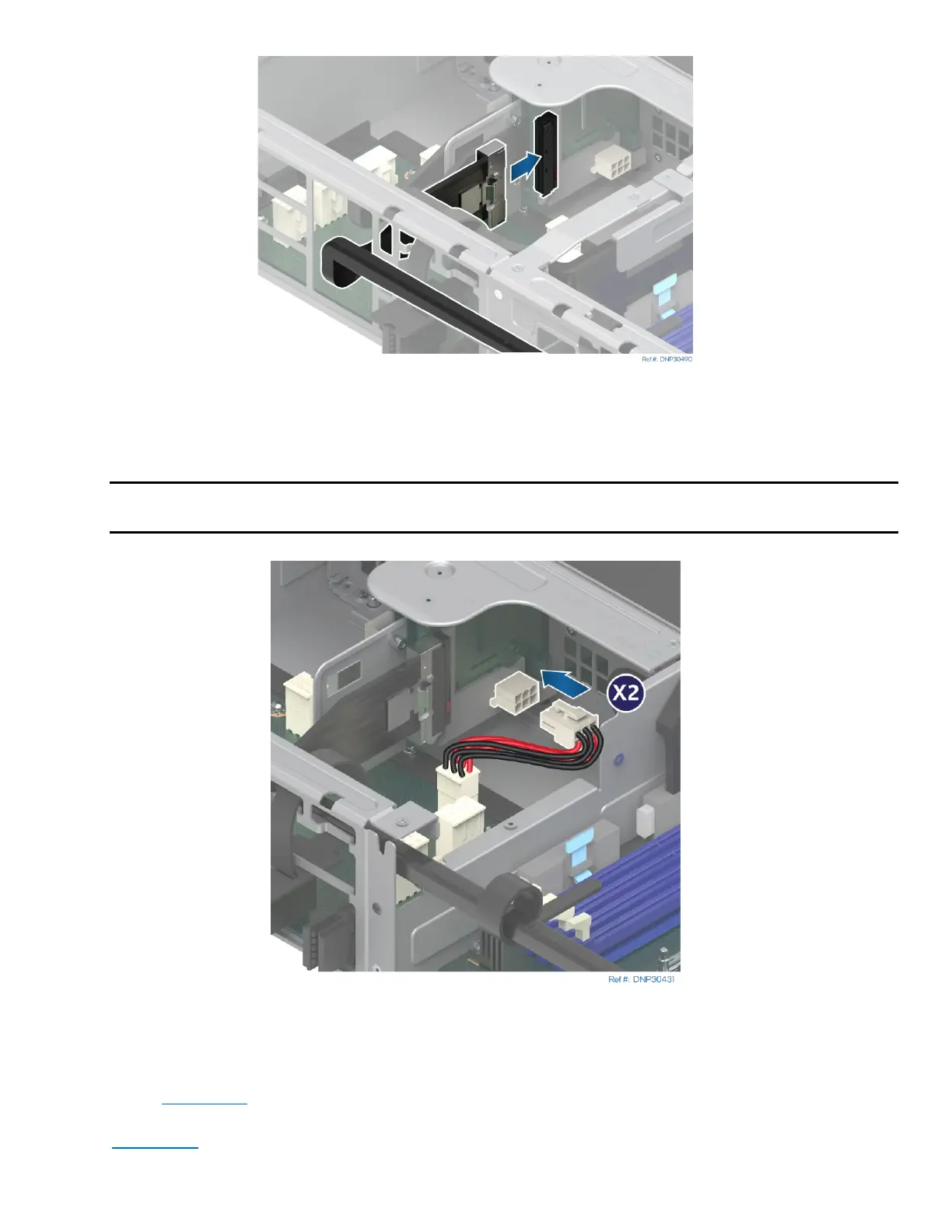
Figure 239. Connecting MCIO* Cables
23. Connect the MCIO cables to the external connectors on the accelerator riser cards. Tie the cables to
the riser assembly with Velcro tape.
Note: Each MCIO cable has the number printed on it. Connect each MCIO cable to the MCIO
connector on the accelerator riser cards that has the same number.
Figure 240. Connecting Riser Card Power Cables
15. Connect the power cables to the accelerator riser cards.
16. Reinstall the accelerator add-in cards to the accelerator riser assembly following steps 13 through 17
of the Section 7.9
.
17. Reinstall the accelerator riser assembly to the PCIe* accelerator module follow step 19 through 22 of
Section 7.9
.



 To Next Page