Intel® Server D50DNP Family Integration and Service Guide
32
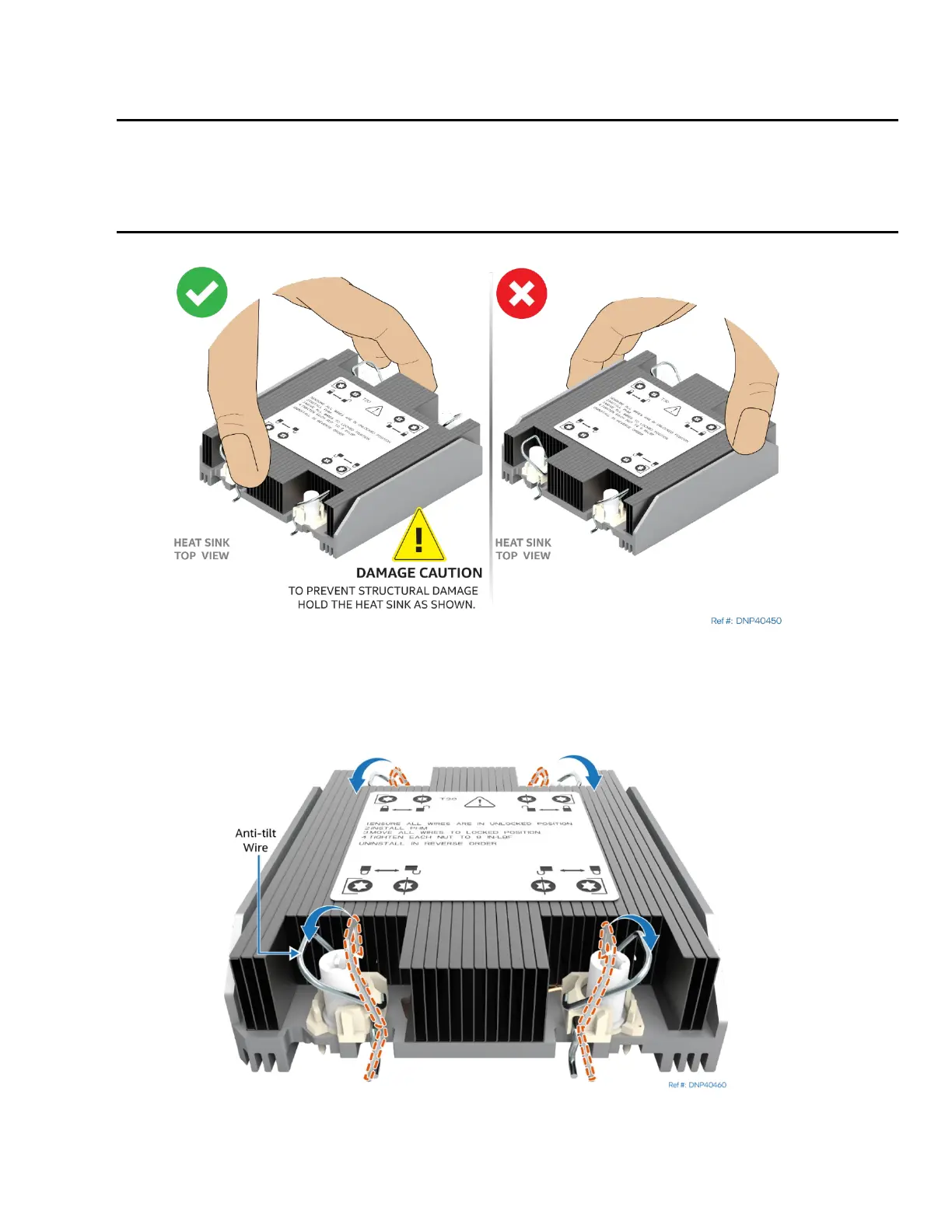
5. Locate the processor heat sink. To avoid damage, grasp it by its narrower sides as shown in the
following figure.
Caution: Fin edges of the processor heat sink are very sharp. Intel recommends wearing thin ESD
protective gloves when handling the PHM during the following procedures.
Caution: P
rocessor heat sinks are easily damaged if handled improperly. See the following image for
proper handling.
Figure 14. Heat Sink Handling
6. Place the heat sink bottom side up onto a flat surface.
7. Remove the plastic protective film from the Thermal Interface Material (TIM).
Figure 15. Processor Heat Sink Anti-tilt Wires in the Outward Position
8. Set the anti-tilt wire over each of the four heat sink fasteners to their outward position.



 To Next Page