Intel® Server D50DNP Family Integration and Service Guide
177
7.11 PCIe* Accelerator Module Power Connector Board Replacement
(D50DNP2MFALAC Module)
The following description provides power connector board replacement instructions for the PCIe*
accelerator module (D50DNP2MFALAC).
Required Tools and Supplies
• Power connector board spare kit (DNPACCLCNBRD)
• Anti-static wrist strap and conductive workbench pad (recommended)
• Phillips* head screwdriver #1 and #2
1. Remove the accelerator add-in cards and PCIe riser cards from the accelerator riser assembly to
disconnect all MCIO cables. Follow steps 1 through step 9 of Section 7.10
.
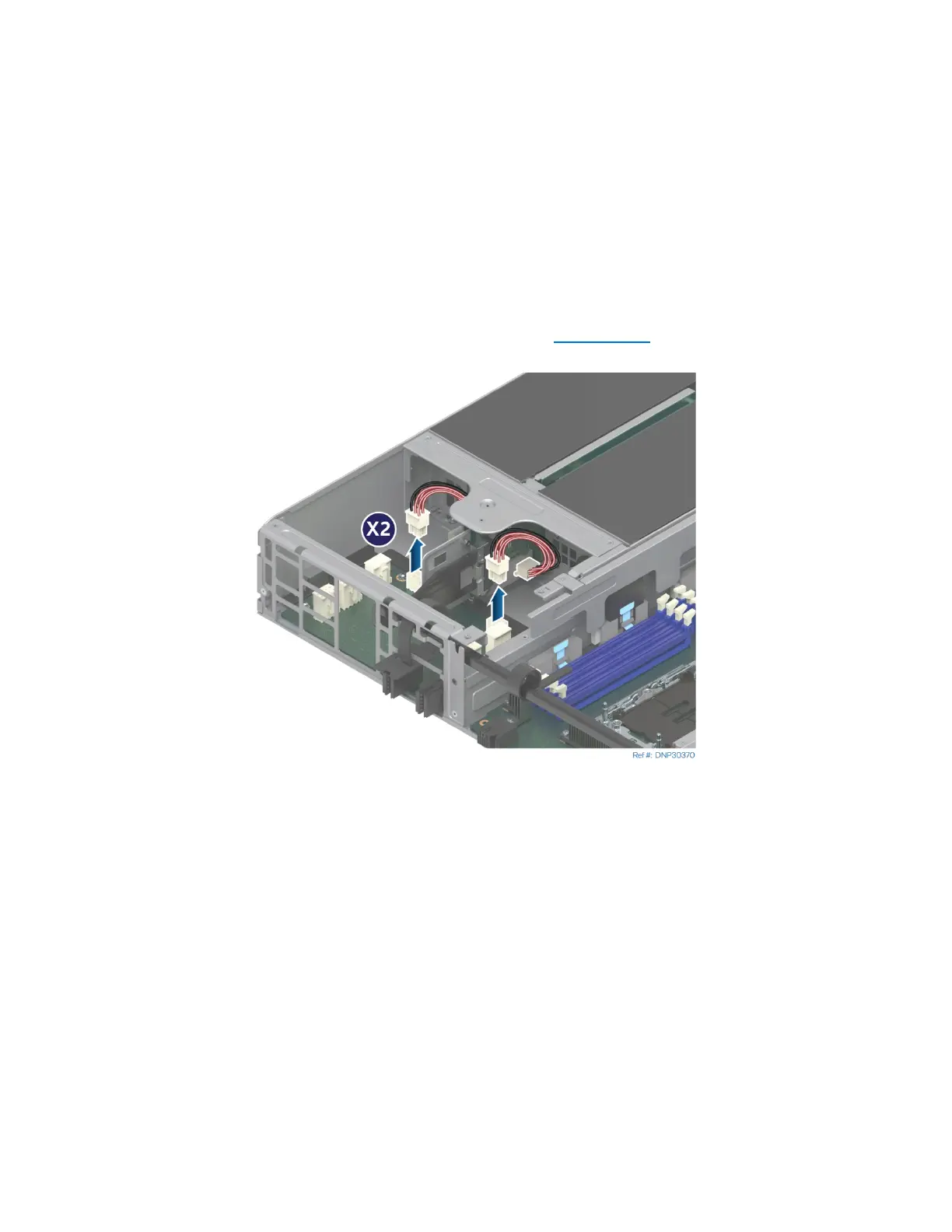
Figure 241. Disconnecting Riser Card Power Cables
2. Disconnect both riser card power cables from the connectors on the accelerator power board.
3. Disconnect the I2C cable from the accelerator power board.



 To Next Page