Intel® Server D50DNP Family Integration and Service Guide
186
7.15 Power Distribution Board (PDB) Assembly Replacement
Required Tools and Supplies
• Power distribution board spare kit FCXXPDBASSMBL2
• Anti-static wrist strap and conductive workbench pad (recommended)
• Phillips* head screwdriver #1 and #2
1. Ensure that the system power is off and then disconnect the power supply cord(s). Then, remove it
from the rack.
Important Safety Notes: Due to the weight of a fully configured system, Intel recommends:
• Use a mechanical lift to aid with the removal of the system from the rack.
• Or remove all installed modules from the system and use at least two people to remove the
system from the rack.
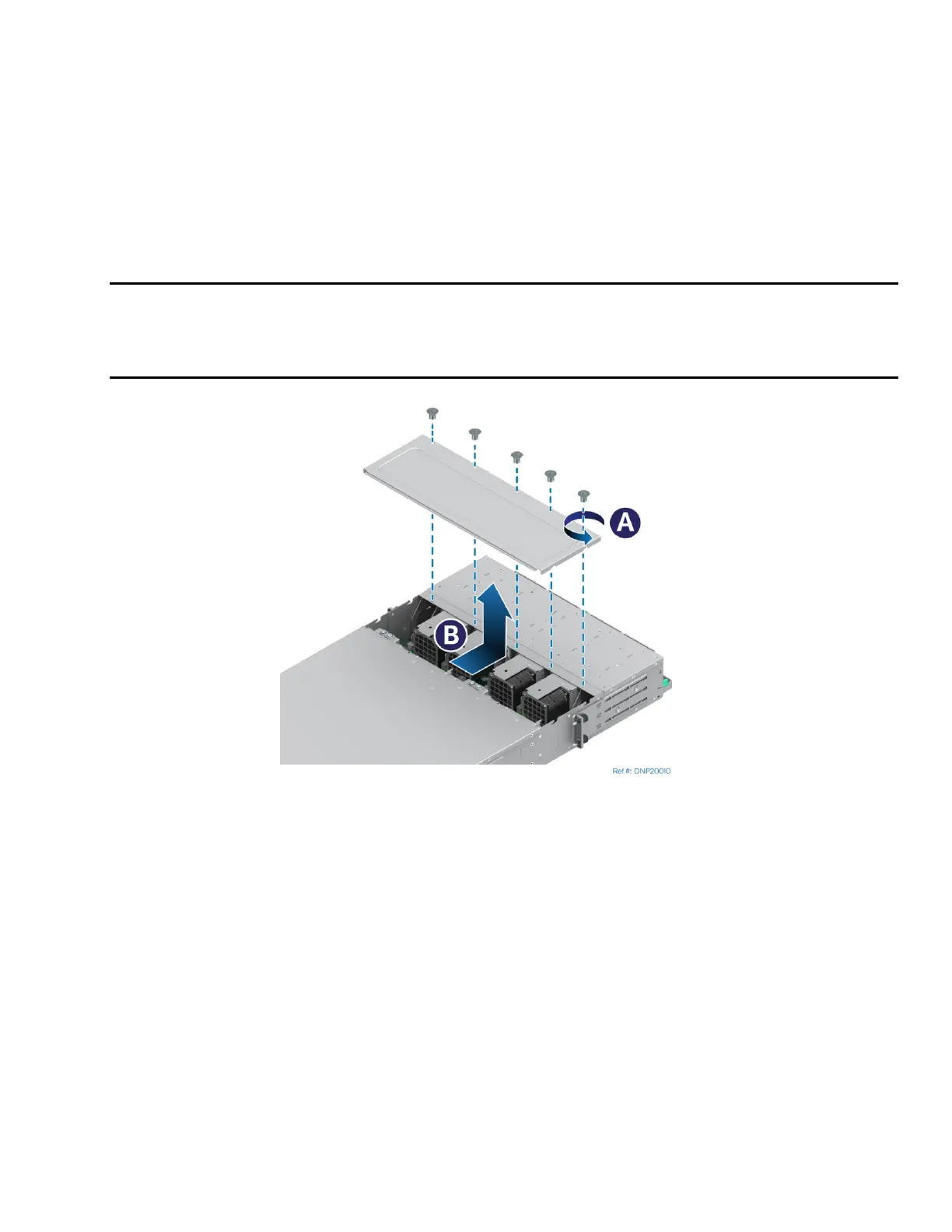
Figure 254. Removing Back Cover
2. Remove all modules from the server chassis (see Section 7.1.1).
3. Locate the chassis back cover and remove the five screws with a Phillips* head screwdriver #1
(see Letter A).
4. Slide the cover towards the back and lift it up (see Letter B).



 To Next Page