Intel® Server D50DNP Family Integration and Service Guide
80
3.7.3 Drive Carrier Installation
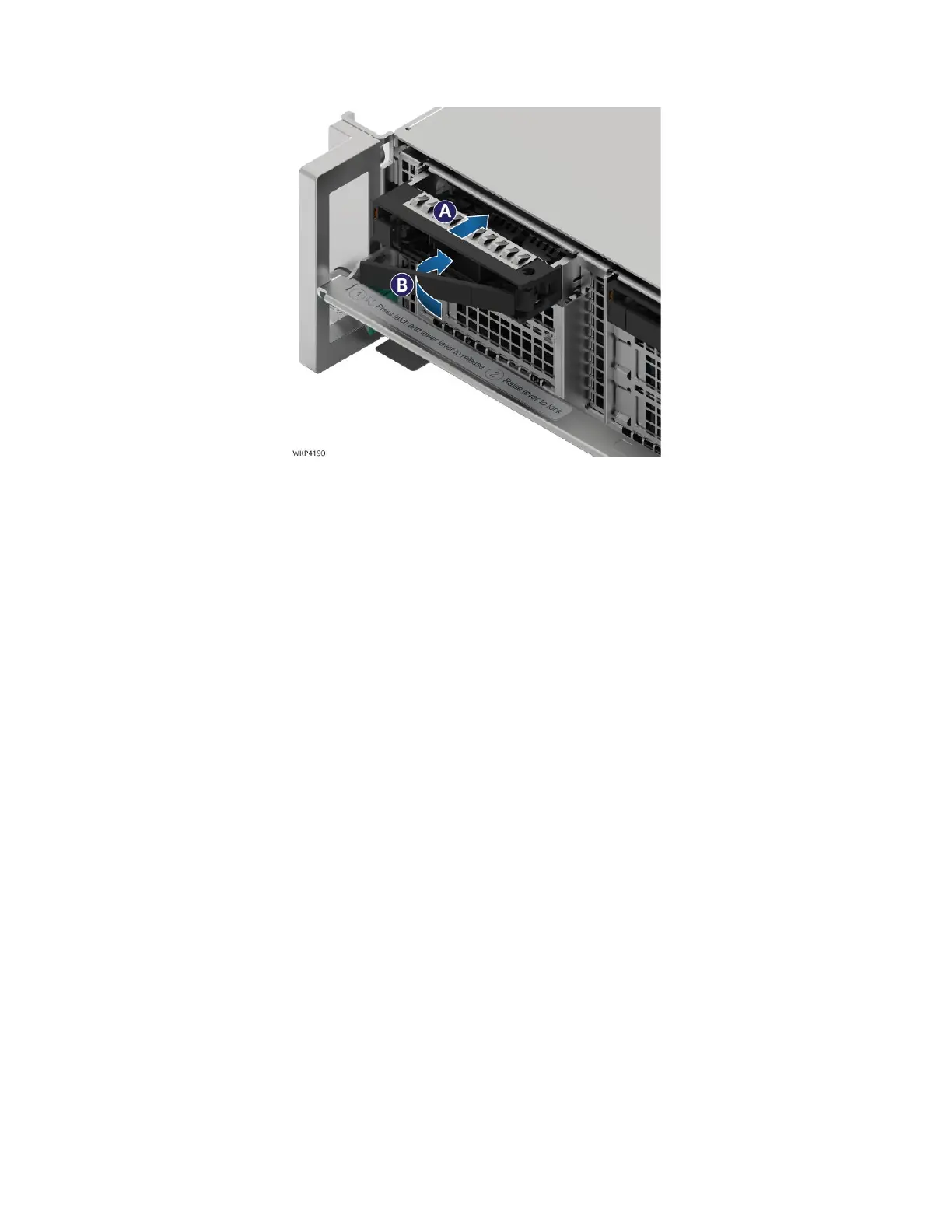
Figure 92. Drive Carrier Installation into the Chassis
1. Align the drive assembly with the open drive bay.
2. With the lever in the open position, insert the drive assembly into the drive bay (see Letter A) and
push forward until the drive edge connector engages with the backplane connector.
3. Complete the drive installation by closing the drive assembly lever until it locks into place
(see Letter B).



 To Next Page