Intel® Server D50DNP Family Integration and Service Guide
74
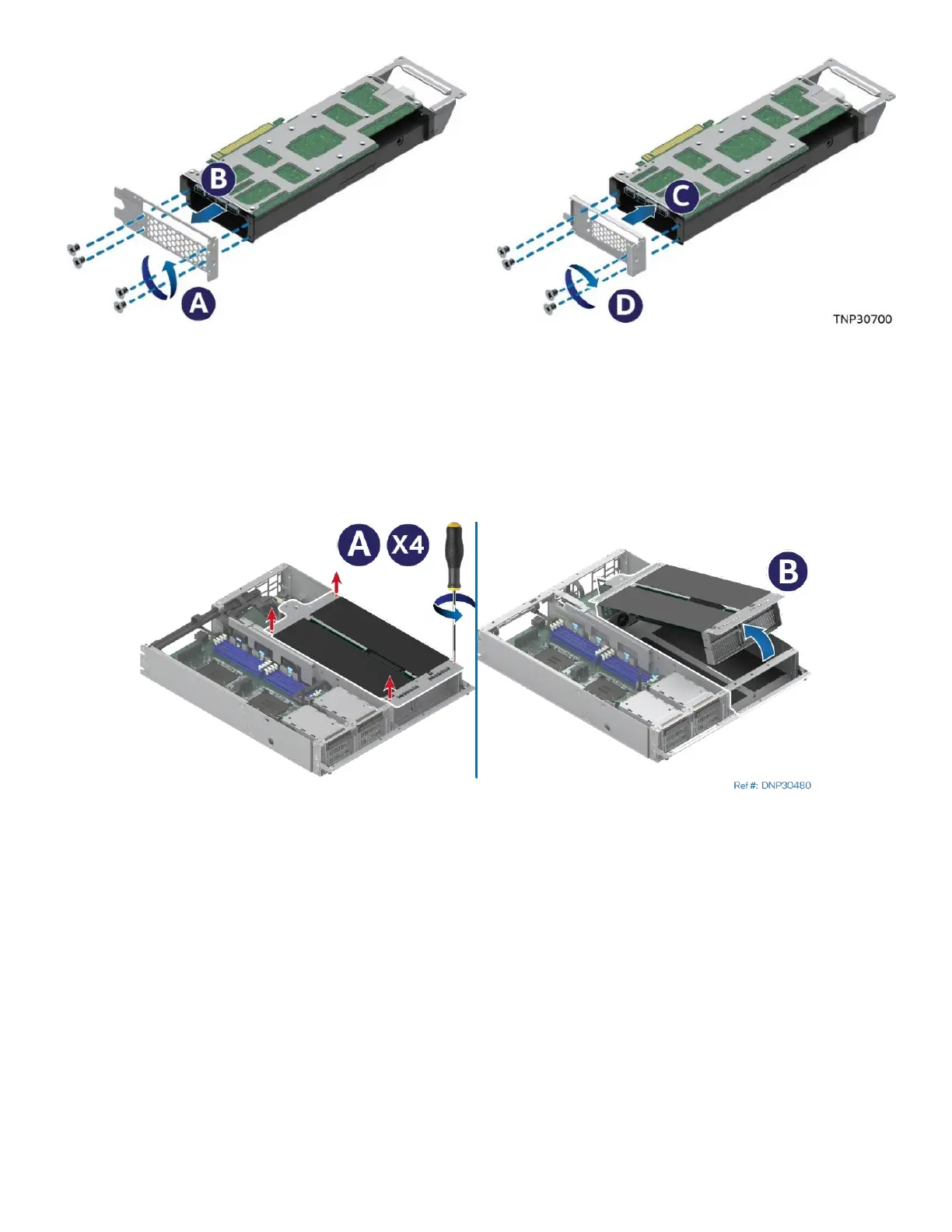
Figure 80. Replacing the Add-In Card Metal Bracket
1. Remove the screws that hold the original metal bracket on the accelerator add-in card (see Letter A).
2. Uninstall the original metal bracket (see Letter B) and replace it with the metal bracket in the
accessory kit (see Letter C).
3. Fasten the screws to secure the metal bracket to the accelerator add-in card (see Letter D).
4. If the accessory kit comes with the rear extension bracket, install it on the accelerator add-in card.
Figure 81. Removing the PCIe* Accelerator Module Riser Assembly
5. Loosen the four captive screws on the PCIe* accelerator module riser assembly (see Letter A).
6. Carefully lift the PCIe* accelerator module riser assembly up about two inches. Then, tilt the front side
away from the module (see Letter B).



 To Next Page