Intel® Server D50DNP Family Integration and Service Guide
133
2. Remove the three Velcro tape pieces between the processor cold plates.
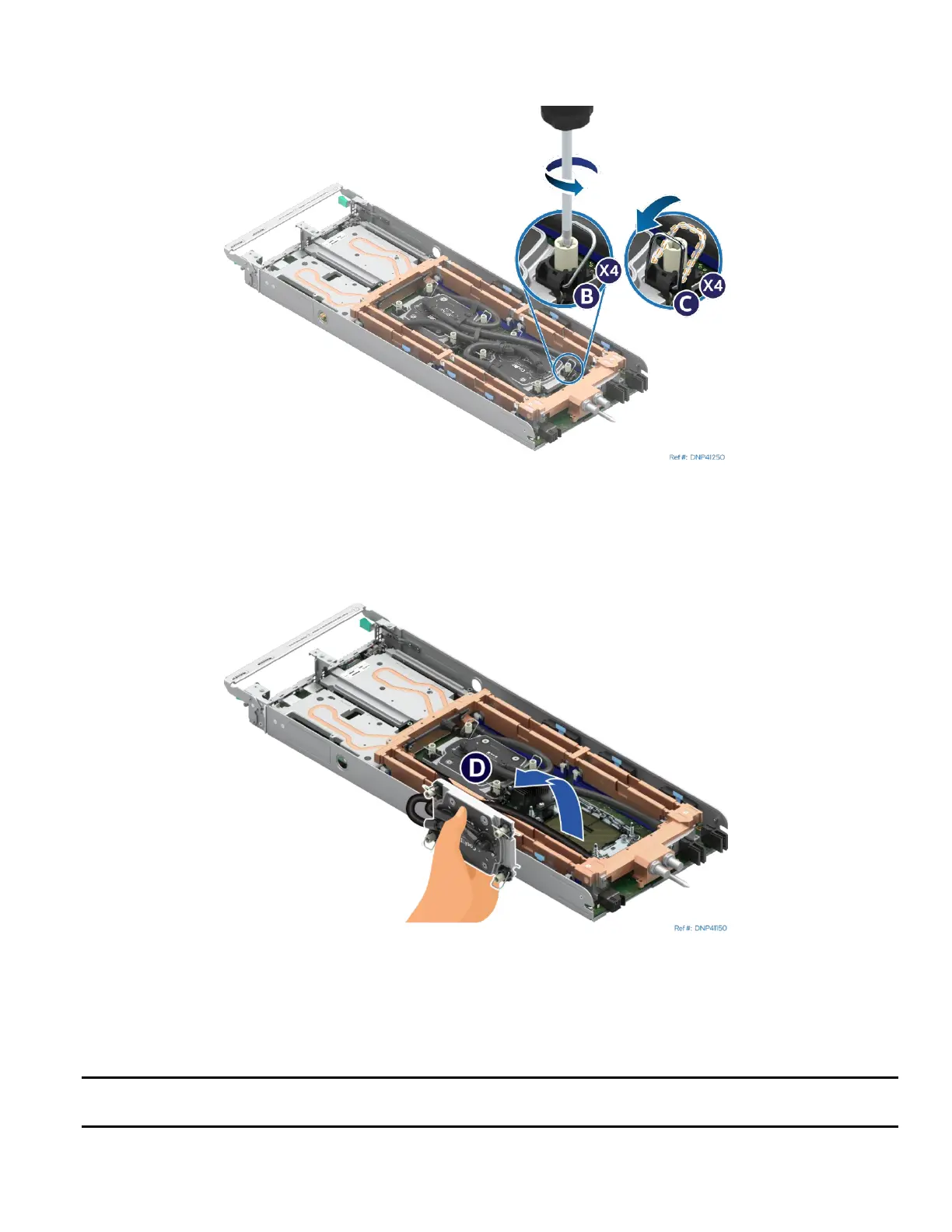
Figure 164. Loosening Processor Cold Plate Fasteners
3. Fully loosen all four fasteners on the processor cold plate in any order (see Letter B). General bolt
loosening order, such as diagonal sequence, can be used.
4. Set all four anti-tilt wires on the cold plate to the inward position (see Letter C).
Figure 165. Removing Processor Cold Plate
5. While holding the processor cold plate, lift it slightly and carefully rotate it off the server board
(see Letter D). Do not touch the processor pins.
6. After removing the cold plate, visually inspect that the socket is free of damage or contamination.
Caution: If debris is observed, blow it away gently with an air blower. Do not use tweezers or any other
hard tools to remove the debris.



 To Next Page