Intel® Server D50DNP Family Integration and Service Guide
66
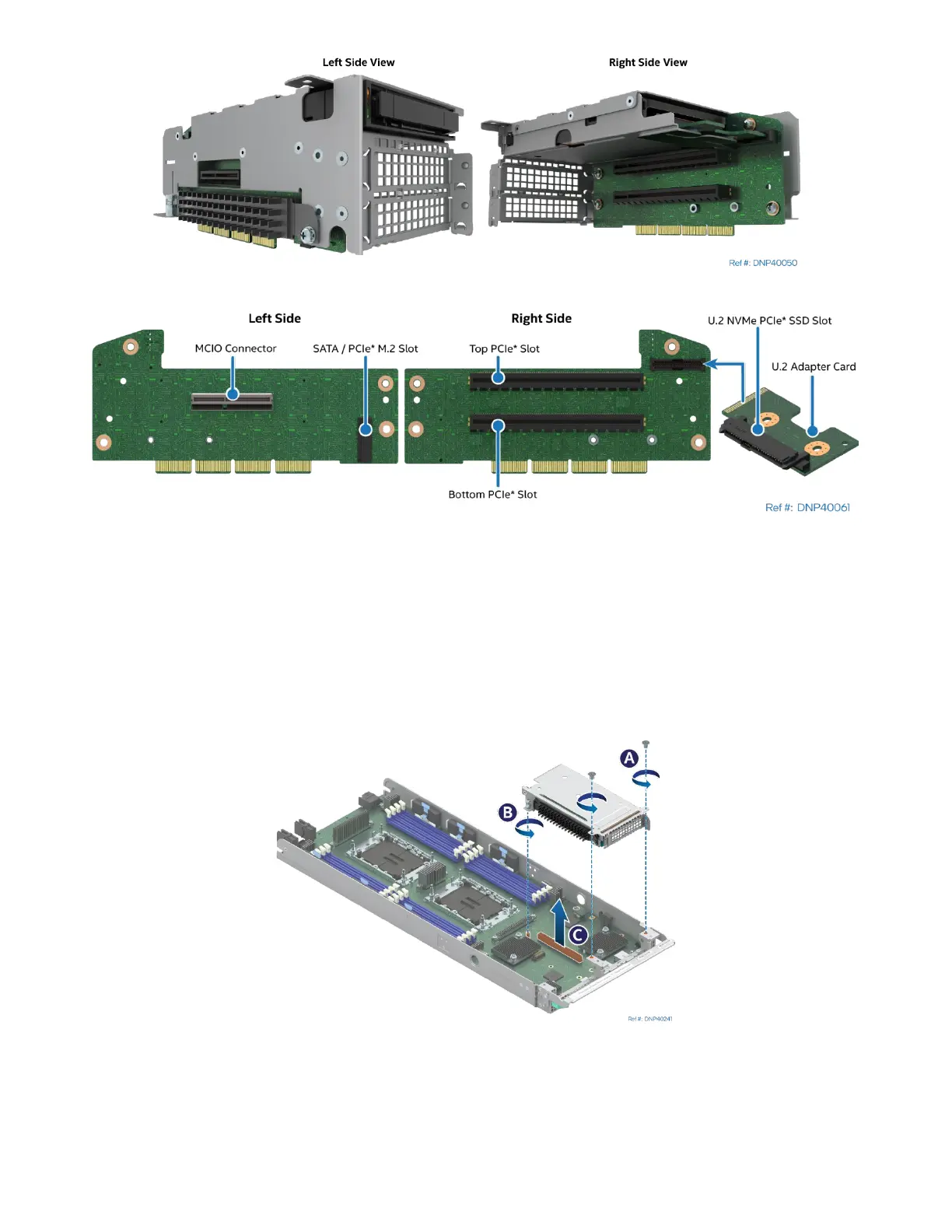
Figure 68. 2U Riser Assembly and Riser Card Features
Required Tools and Supplies
• PCIe* add-in card
• Anti-static wrist strap and conductive workbench pad (recommended)
• Phillips* head screwdriver #1 and #2
3.4.1 Standard Riser Assembly Removal
Figure 69. Removing a Riser Assembly with Standard Riser Card
1. Using Phillips screwdriver #1 remove two screws that secure the riser assembly to the front of the
module (see Letter A).
2. Using Phillips screwdriver #2 loosen the captive screw at the back of the riser assembly. (see Letter B)
3. Carefully remove the riser assembly by lifting it up and away from the module (see Letter C).



 To Next Page