Intel® Server D50DNP Family Integration and Service Guide
134
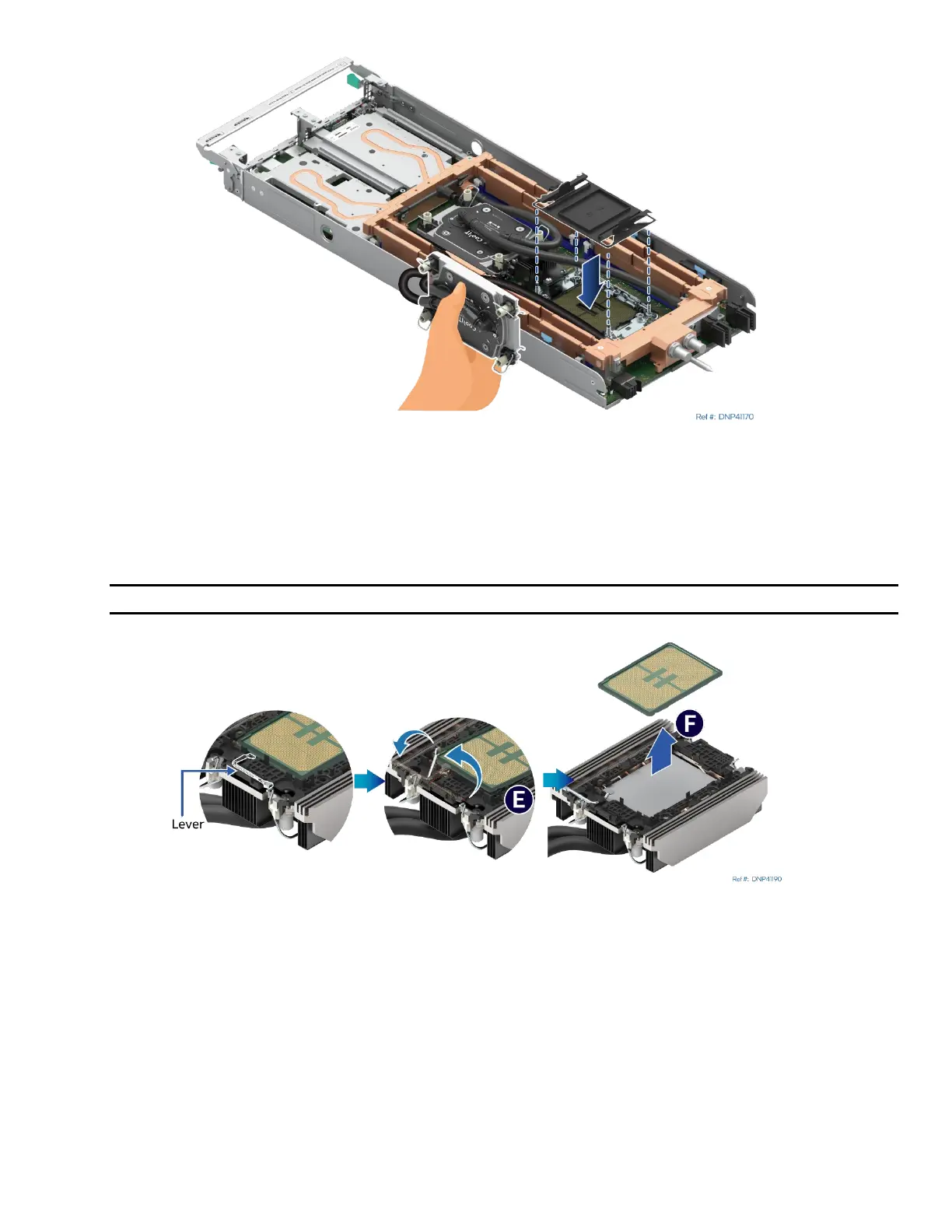
Figure 166. Reinstall the Socket Cover
7. Reinstall the socket cover to protect the socket pins before proceeding to the next step.
• Squeeze the finger grips at each end of the cover and carefully lower the cover onto the socket. Then,
release the finger grips.
• Ensure that the socket cover is locked in place.
Note: Do not press down on the center of the socket cover.
Figure 167. Processor Removal from Processor Carrier Clip and Processor Cold Plate
8. While holding down the processor cold plate without stretching the hose, rotate the lever (see Letter E)
from right to left until the processor lifts from the processor carrier clip.
9. Holding down the processor carrier clip, carefully lift the processor out of the processor carrier clip (see
Letter F).



 To Next Page