Intel® Server D50DNP Family Integration and Service Guide
180
7.12 Power Supply Replacement
Required Tools and Supplies
• Intel spare power supply module
• Anti-static wrist strap and conductive workbench pad (recommended)
Note: The replacement figures in this section only display air-cooled chassis. However, the power supply
replacement is the same, regardless of chassis type.
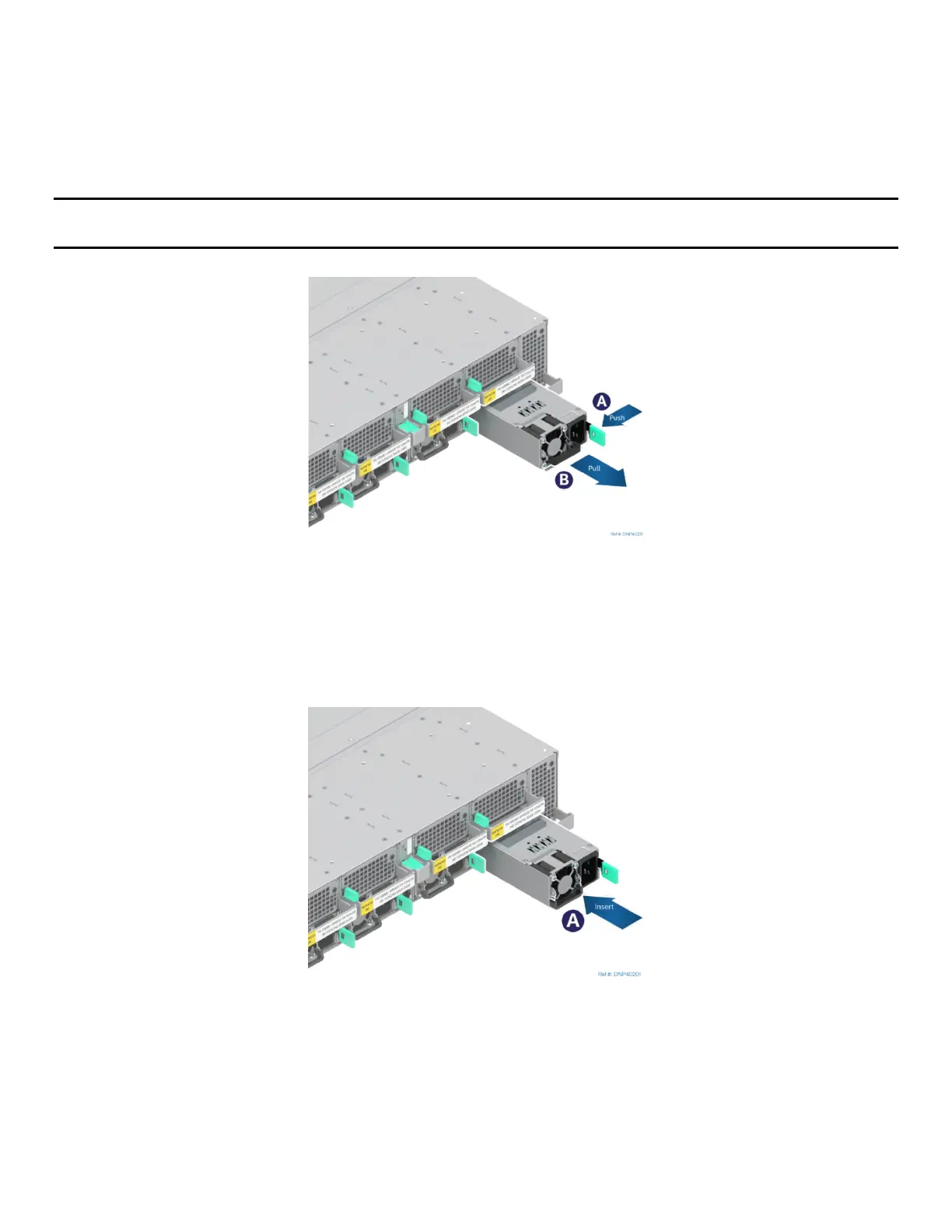
Figure 245. Removing Power Supply
1. Identify the faulty power supply.
2. Detach the power cord from the power supply to be removed.
3. Push and hold the green latch in the direction shown (see Letter A).
4. Use the handle to pull the power supply module from the system fan assembly (see Letter B).
Figure 246. Installing Power Supply
5. Insert the power supply module into the system fan assembly (see Letter A).
6. Push the power supply module into the system fan assembly until it locks into place.



 To Next Page