Intel® Server D50DNP Family Integration and Service Guide
84
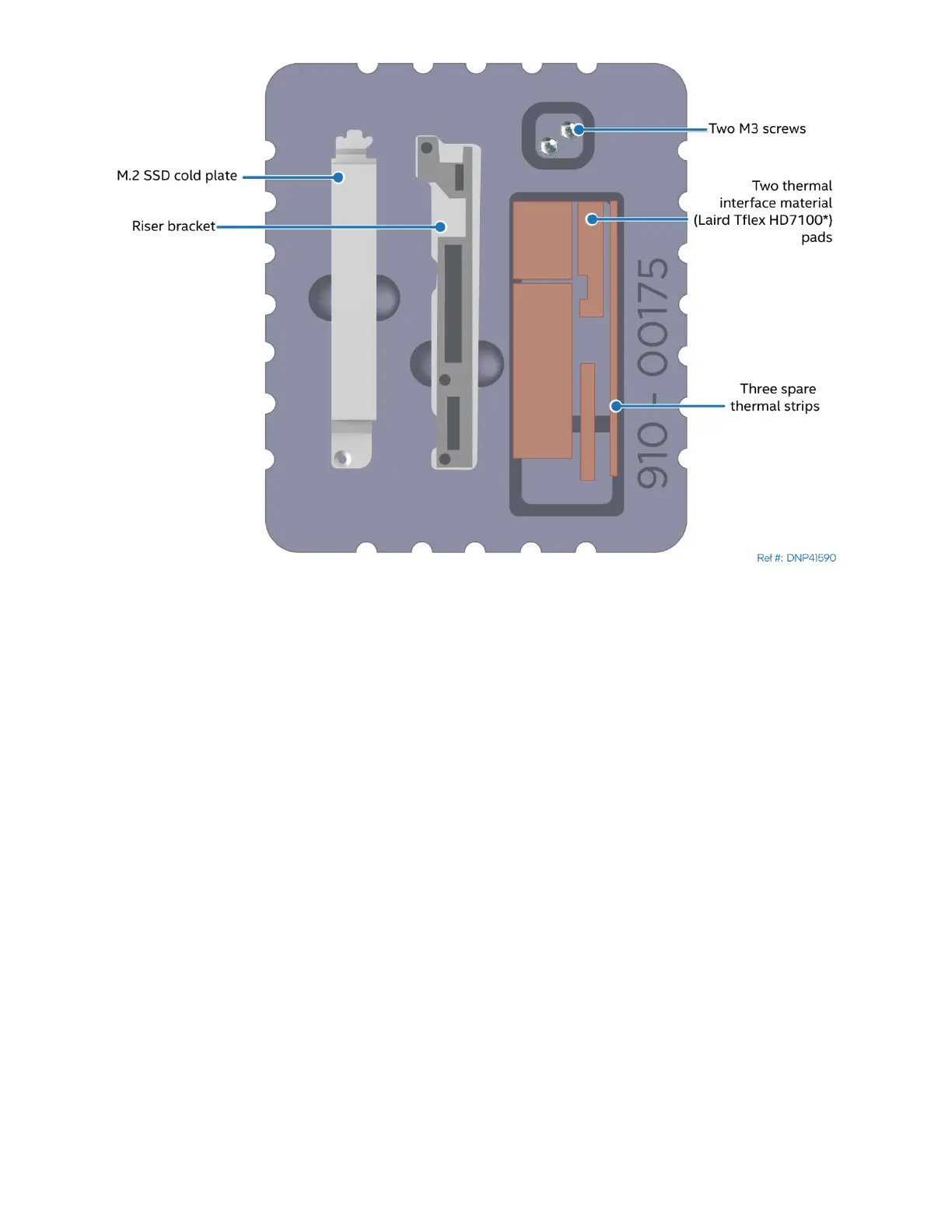
Figure 96. M.2 SSD cold plate kit
1. If needed, adjust the position of the M.2 SSD mounting standoff to accommodate 110mm M.2 SSD.
Using 3/16” hex nut driver, remove the standoff from the 80mm position and install it into the
110mm position. Tighten to 5 in-lb.
2. Unpack the riser bracket and two M3 black pan-head screws from the D50DNP M.2 cold plate kit
(DNPM2LCHS). The riser bracket has thermal pads attached at the factory.
3. Remove the left screw securing the riser board to the riser assembly.
4. Using two black pan-head screws from the kit attach the riser bracket to the riser assembly from the
PCIe connector side. Use vacant standoff. Tighten to 5 in-lb.
3.8.5 Thermal Pad Installation for Liquid-Cooled Configurations
The thermal interface material pads for M.2 SSDs come in two different sizes. For 80mm M.2 SSD, use only
the long pad. For 110mm M.2 SSD both pads should be combined and installed together.



 To Next Page