Intel® Server D50DNP Family Integration and Service Guide
139
21. Carefully reinstall the processor cold plate back onto the bolster plate’s alignment pins (see Letter L).
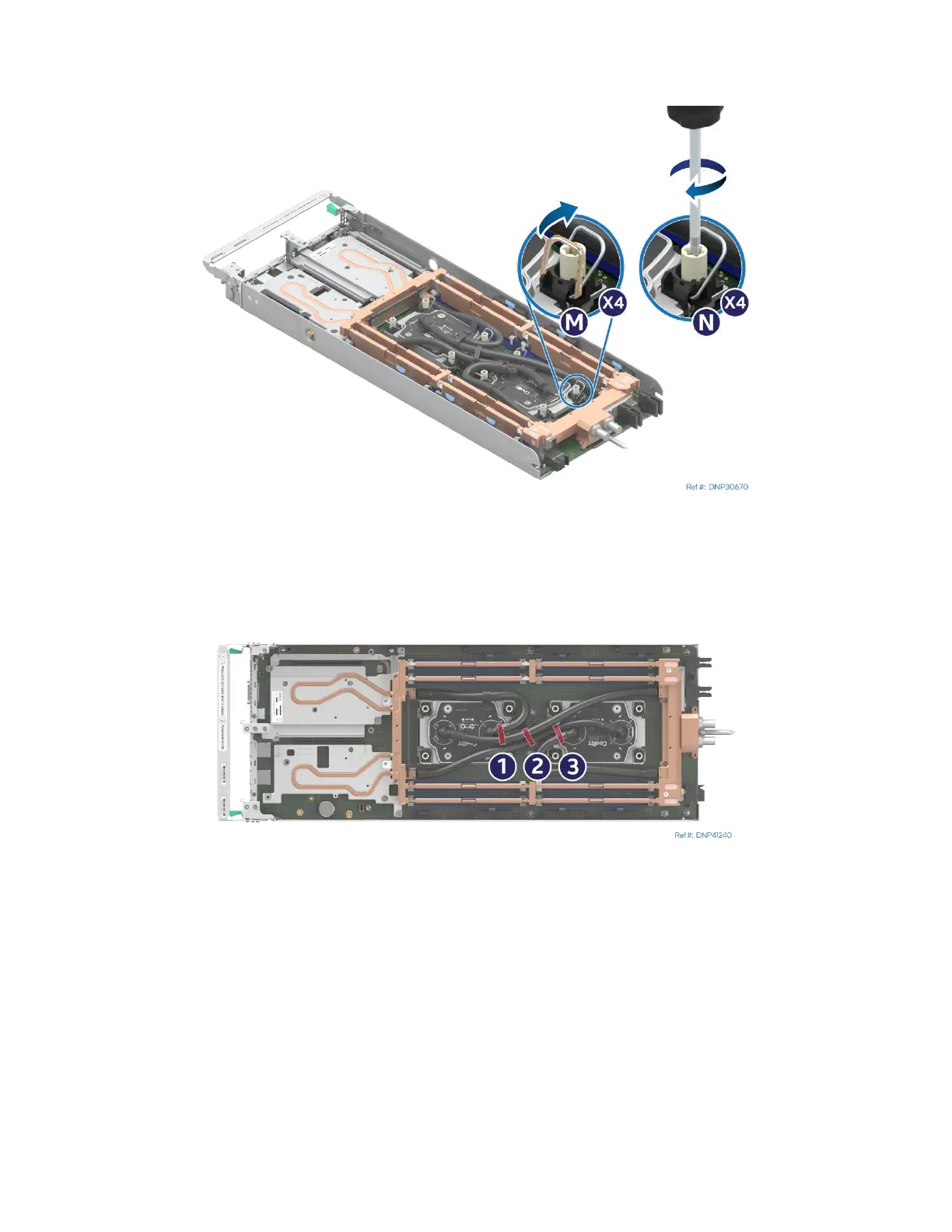
Figure 176. Securing Processor Cold Plate
22. Set all four anti-tilt wires on the cold plates to the outward position (see Letter M).
23. Using a T30 Torx* screwdriver, tighten the cold plate fasteners to 8 in-lb (see Letter N). No specific
sequence is needed for tightening. General diagonal bolt tightening order can be used.
Figure 177. Installing the Velcro* Tape in the Middle of the Cold Plates
24. Install three Velcro tape pieces between the processor cold plates and wrap them around the hoses on
top of the processor cold plates.



 To Next Page