Intel® Server D50DNP Family Integration and Service Guide
188
10. Remove the screws securing the power distribution board (PDB) to the chassis with a Phillips* head
screwdriver #2 (see Letter A).
11. Remove the PDB by lifting it upwards, tilting up the front side of the PDB, and then lifting the board
out (see Letter B).
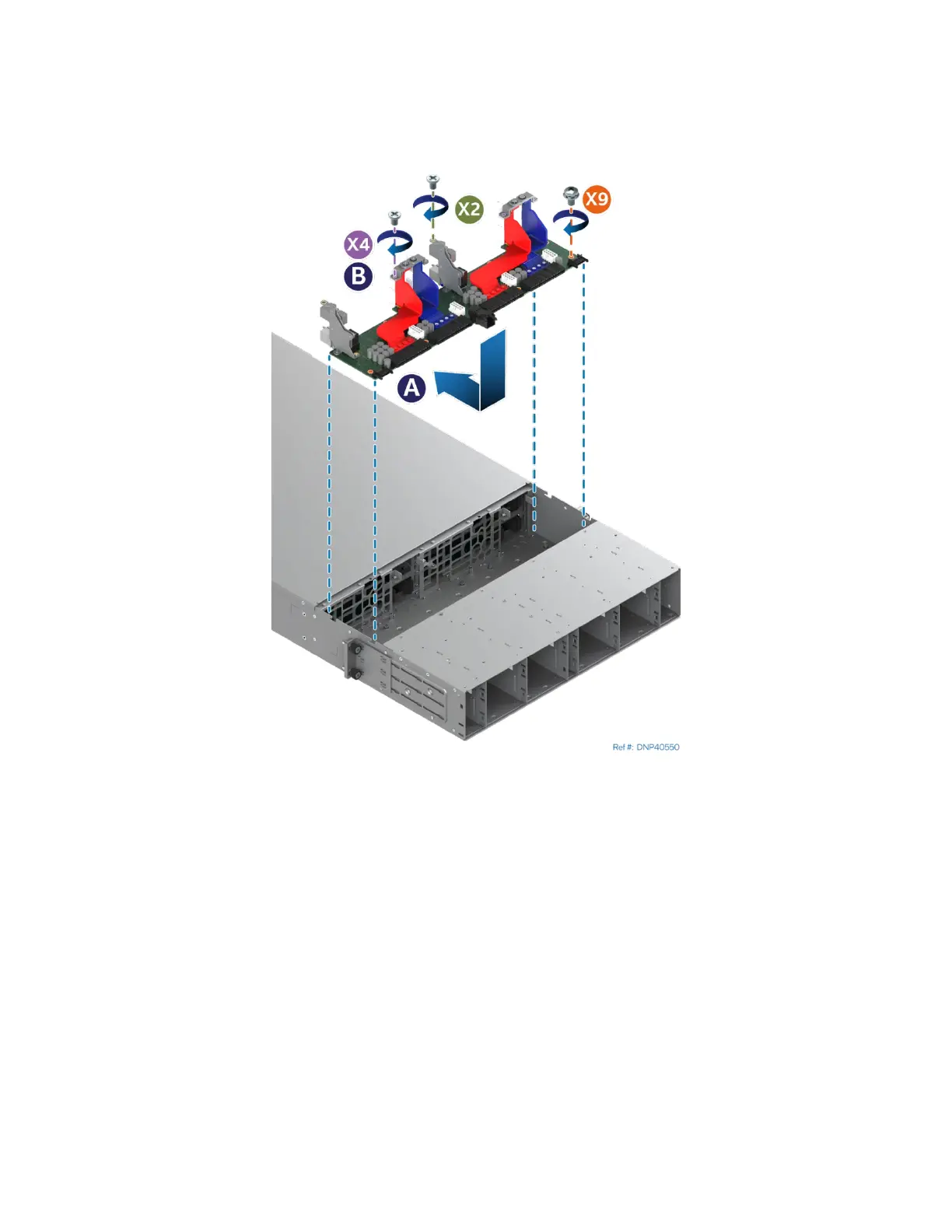
Figure 257. Installing the Power Distribution Board
12. Remove the new power distribution board (PDB) from its package.
13. Lower the PDB into the chassis, tilting down the back side and then sliding the board to the front
(see Letter A).
14. Secure the power distribution board using a Phillips* head screwdriver #2 and the provided screws
(see Letter B).



 To Next Page