Intel® Server D50DNP Family Integration and Service Guide
55
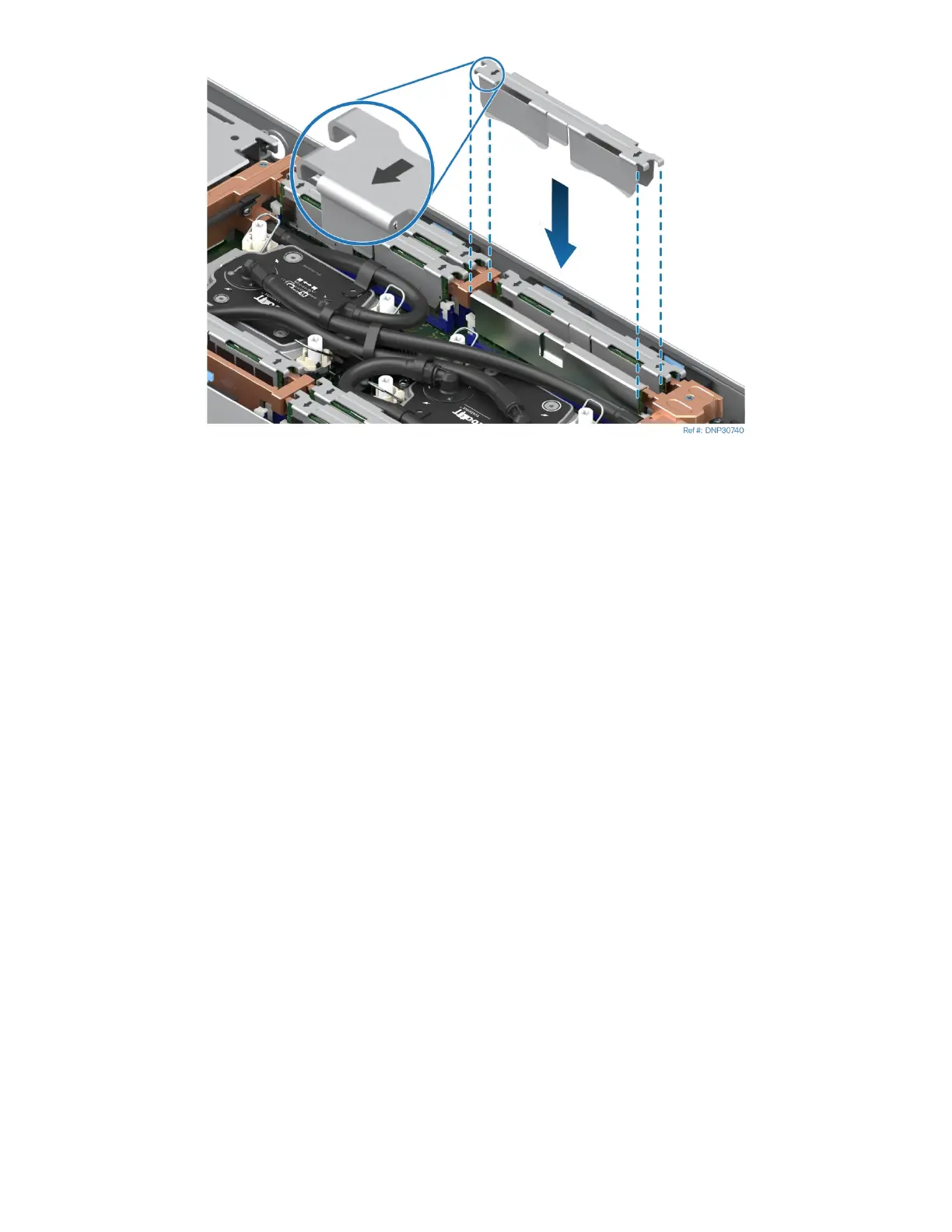
Figure 52. Mylar and DIMM clip installation
11. Wrap the Mylar pad around the memory heat spreader line and two adjacent DIMMs and Install the
DIMM clip over the Mylar pad like on the previous picture. Make sure that the arrows on the clips look
left for CPU 0 and look right for CPU 1.
12. Repeat for all remaining DIMM pairs.



 To Next Page