Intel® Server D50DNP Family Integration and Service Guide
86
3.8.7 M.2 SSD Cold Plate Installation for Liquid-Cooled Configurations
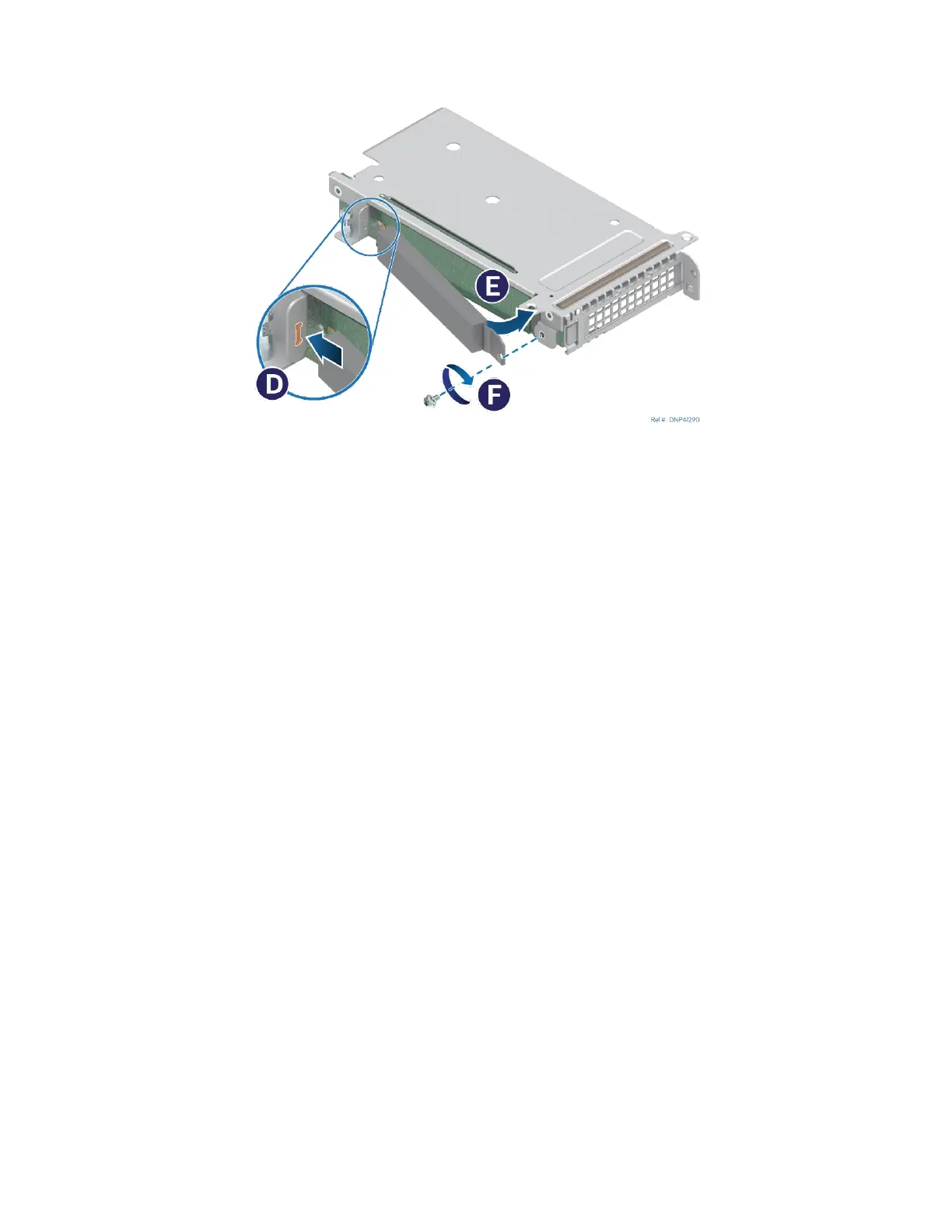
Figure 99. Installing the M.2 cold Plate
1. If present, peel off the protective film from the thermal interface material pad attached to the cold
plate.
2. Insert the tab at the edge of the cold plate into the slot on the riser assembly (see Letter D).
3. Push the loose end of the cold plate towards the SSD (see Letter E) and secure the cold plate to the
riser assembly with a screw (see Letter F).
4. Install the riser assembly following instructions in Section 3.4.6



 To Next Page