Intel® Server D50DNP Family Integration and Service Guide
175
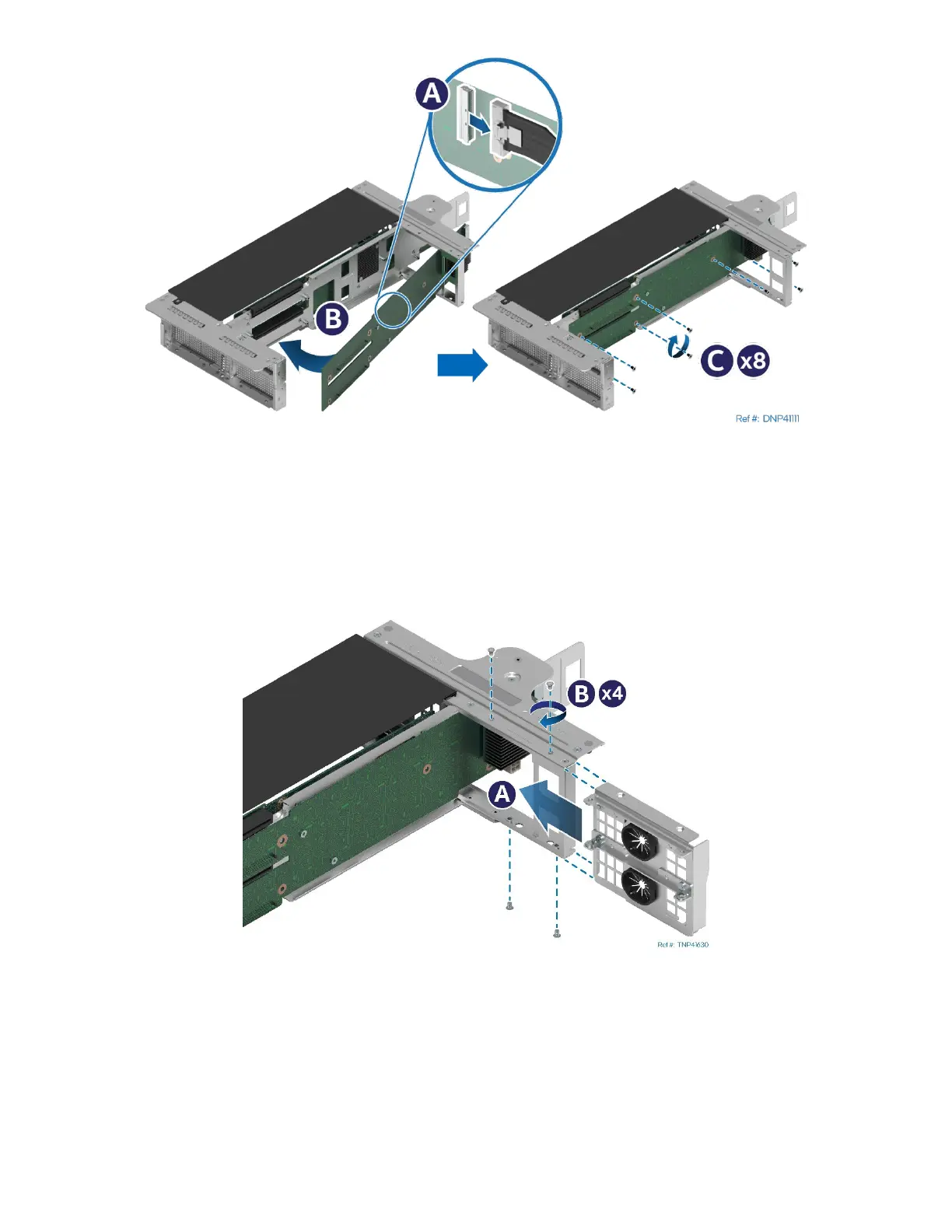
Figure 237. Accelerator Riser Card Installation
10. Locate and unpack the new accelerator riser card for replacement.
11. Reattach the MCIO cable on the inner side of the accelerator riser card (see Letter A).
12. Slide the accelerator riser card in and align it with the screw holes on the riser assembly (see Letter B).
13. Using a Phillips* head screwdriver #2, fasten the screws to secure the accelerator riser card to the
riser assembly. Tighten to 5 in-lb. (see Letter C).
Figure 238. Accelerator Riser Assembly Rear Bracket Installation
14. Slide the rear bracket into the riser assembly (see Letter A).
15. Using a Phillips* head screwdriver #1, fasten the screws to secure the rear bracket to the riser
assembly. Tighten to 5 in-lb (see Letter B).



 To Next Page