Intel® Server D50DNP Family Integration and Service Guide
185
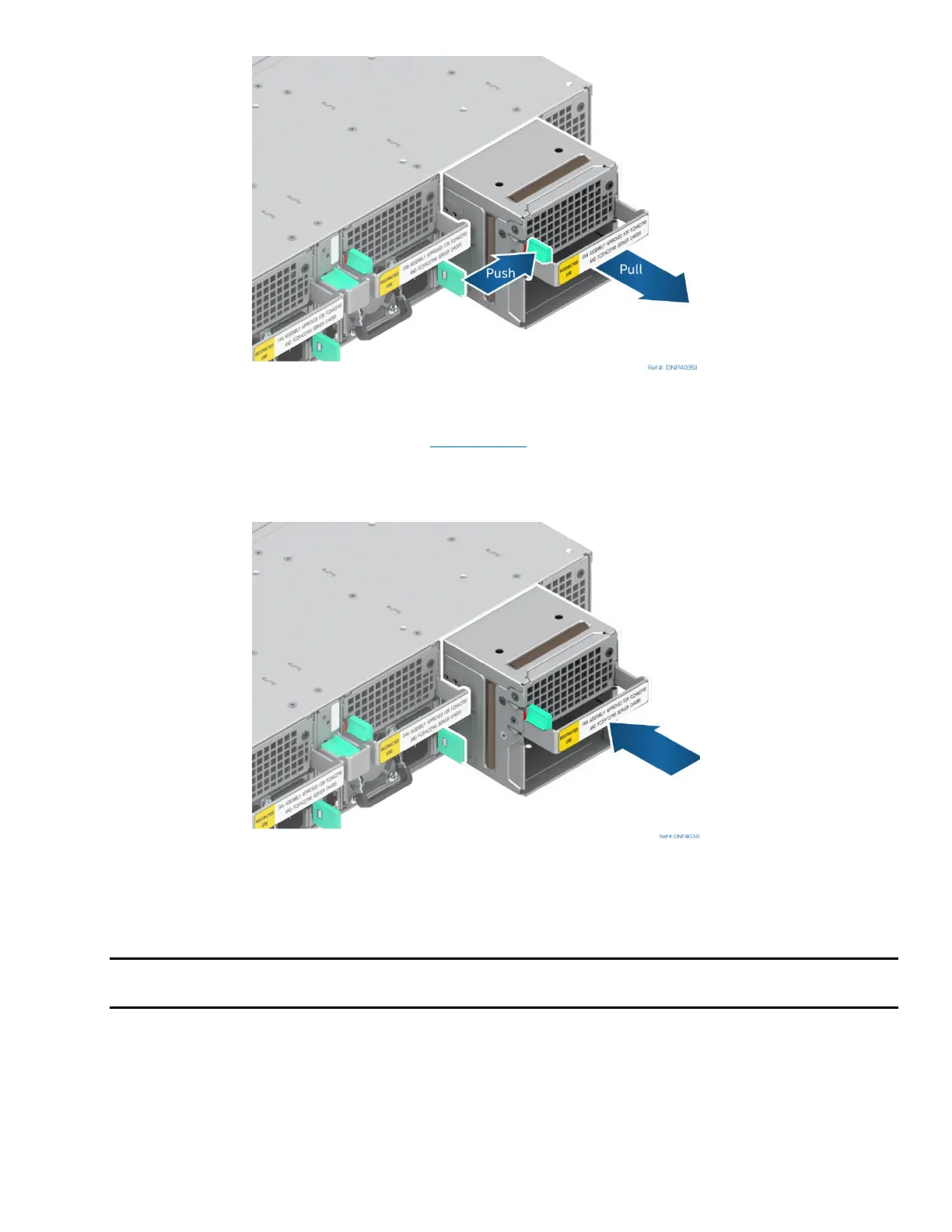
Figure 252. Removing System Fan
1. If present, remove the power supply (see Section 7.12
) from the system fan assembly to be removed.
2. While pushing the green latch in the direction shown, use the handle to pull the system fan assembly
out of the bay.
Figure 253. Installing System Fan
3. Ensure that no power supply is preinstalled in the system fan assembly.
4. Insert the system fan assembly into the open fan assembly bay.
Note: 40-mm fans are used on the sides; 60-mm fans are used in the four center bays (air-cooled
system only).
5. Push in the system fan assembly until it locks into place.



 To Next Page