Intel® Server D50DNP Family Integration and Service Guide
162
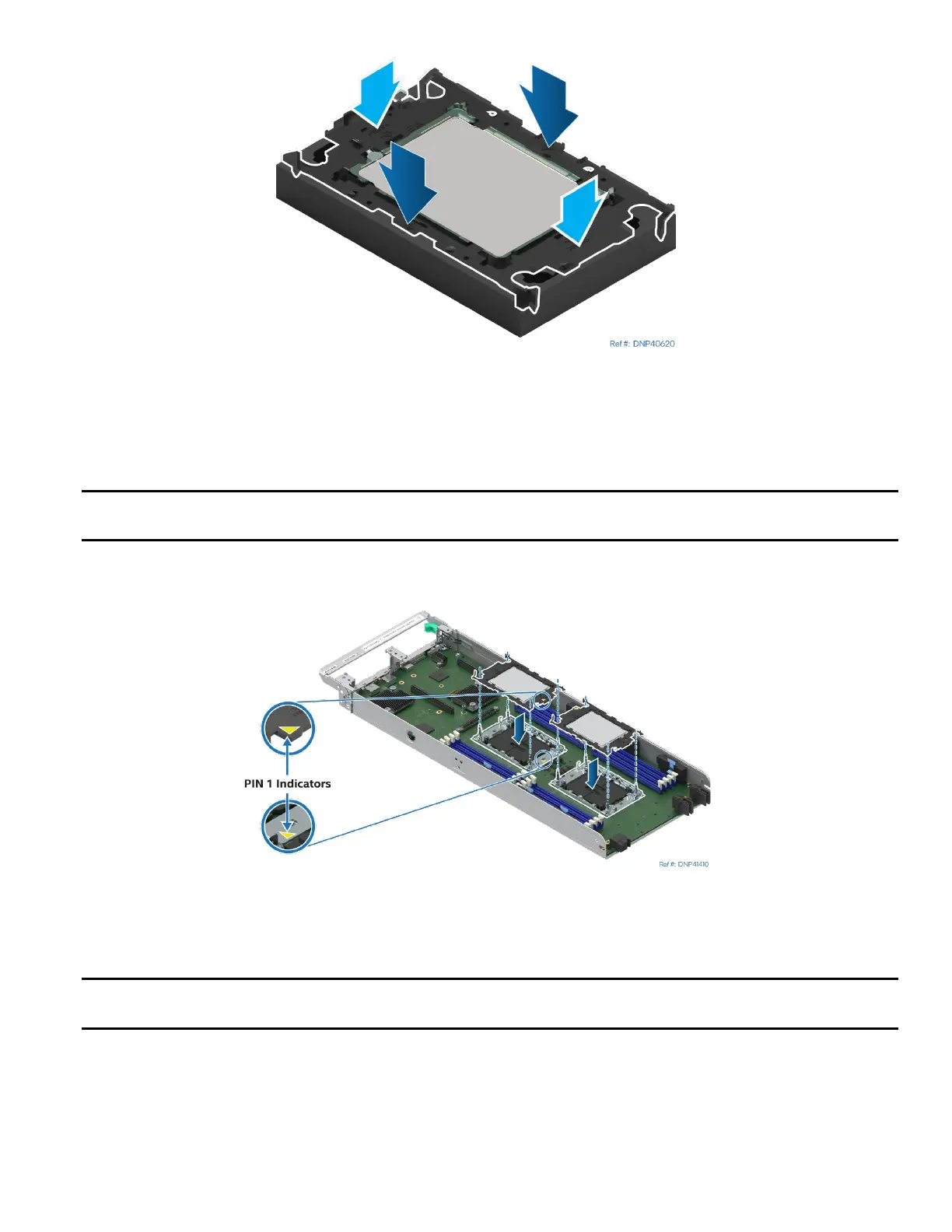
Figure 215. Installing Processor Carrier Clip onto Processor – Part 2
17. Gently press down simultaneously on two opposite sides of the processor carrier clip until it clicks in
place.
18. Repeat step 17 for the other two sides.
Caution: Do not touch the socket pins. The pins inside the processor socket are extremely sensitive. A
damaged processor socket may produce unpredictable system errors.
Figure 216. Align Processors and Processor Carrier Clips with Sockets
19. Align the Pin 1 indicators of the processor carrier clip and processor with the Pin 1 indicator on the
bolster plate. Lower the processor with carrier clip onto the bolster plate.
Caution: Processor socket pins are delicate and bend easily. Use extreme care when placing the
processor and carrier clip onto the processor socket. Do not drop it.



 To Next Page