Intel® Server D50DNP Family Integration and Service Guide
149
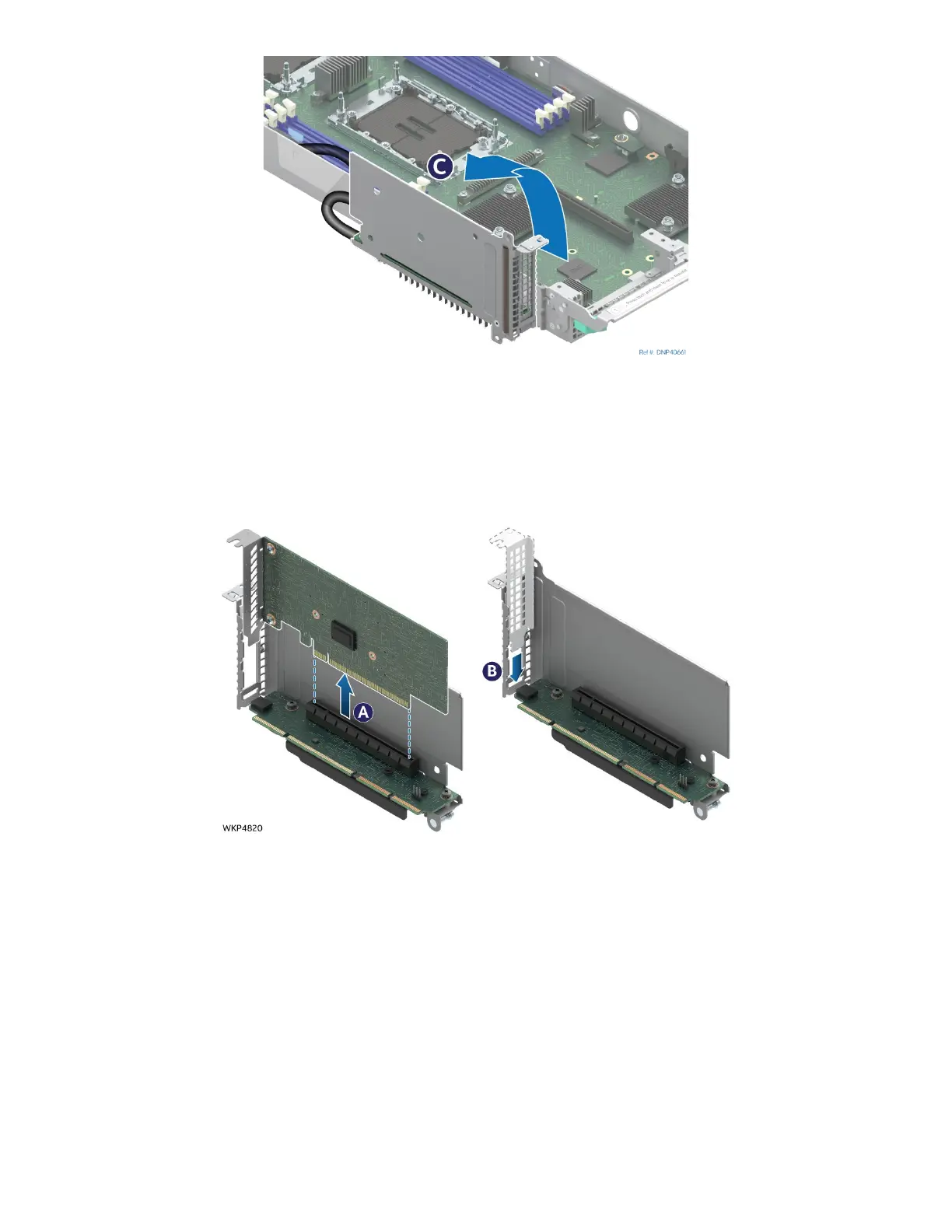
Figure 192. Tilting MCIO* Riser Assembly
3. Disconnect the riser board from the riser slot connector by lifting it up.
4. Tilt the riser assembly on its side (see Letter C) to make room to install the add-in card.
7.5.3 PCIe* Add-In Card Replacement
Figure 193. Add-In Card Removal
1. Carefully remove the add-in card from the PCIe* slot (see Letter A).
2. If not installing a new add-in card, carefully install the original metal filler plate over the opening on
the metal frame of the riser assembly (see Letter B).
module shown



 To Next Page