Intel® Server D50DNP Family Integration and Service Guide
126
7.3.2.2 PHM Disassembly
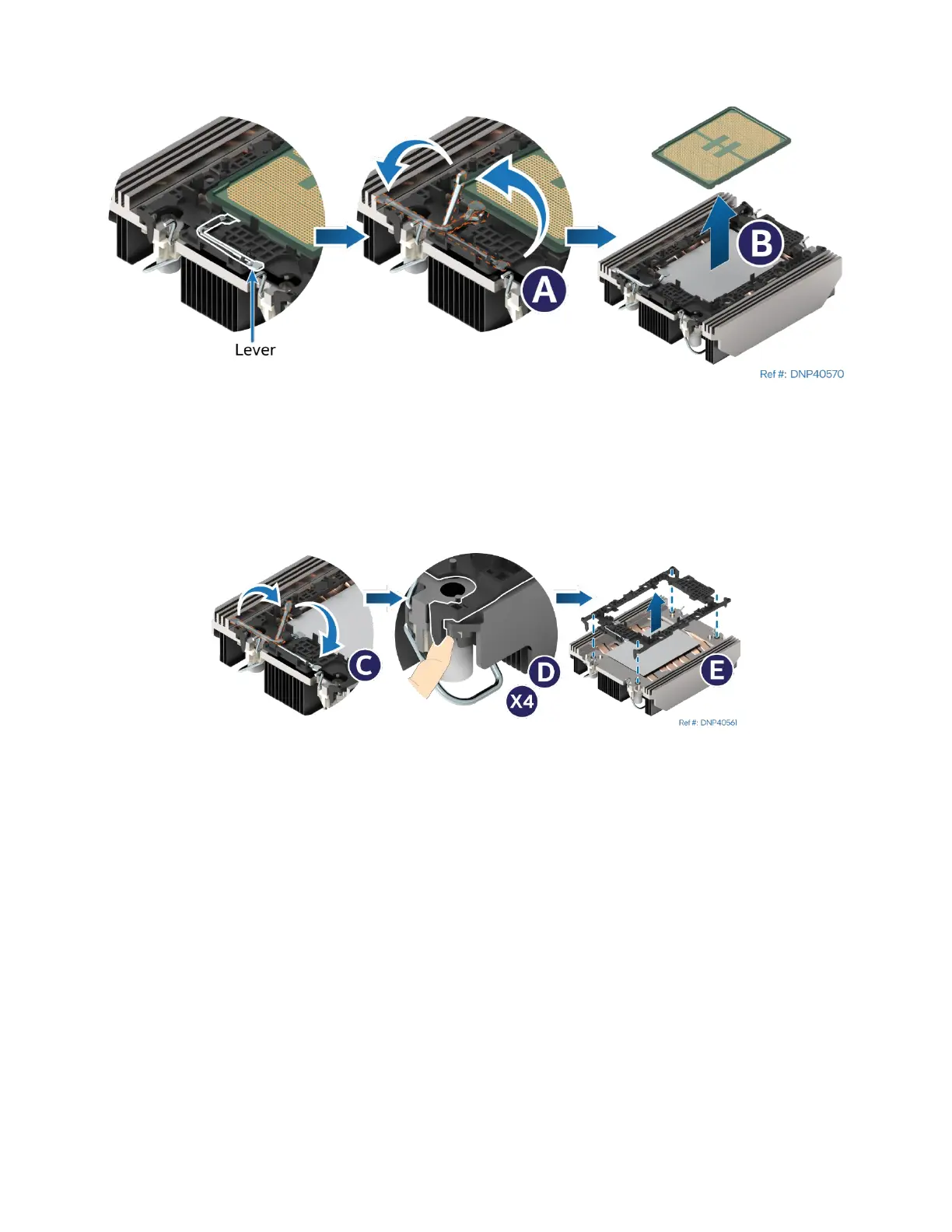
Figure 150. Processor Removal from PHM Assembly
1. While holding down the PHM, rotate the lever (see Letter A) from right to left until the processor lifts
free from the processor carrier clip.
2. Holding down the processor carrier clip, carefully lift the processor out of the processor carrier clip
(see Letter B).
Figure 151. Processor Carrier Clip Removal from PHM Assembly
3. Return the lever to the original position (see Letter C).
4. Detach the processor carrier clip from the heat sink:
a. Unlatch the hook on each corner of the processor carrier clip (see Letter D).
b. Lift the clip from the heat sink (see Letter E).



 To Next Page