Intel® Server D50DNP Family Integration and Service Guide
59
3.1.2 Installing the Chassis into a Rack
Important Safety Notes: Due to the heavy weight of a fully configured system, Intel recommends:
• Use a mechanical lift to aid with the installation of the system into the rack.
• Or remove all installed modules from the system and use at least two people to install the system into
the rack.
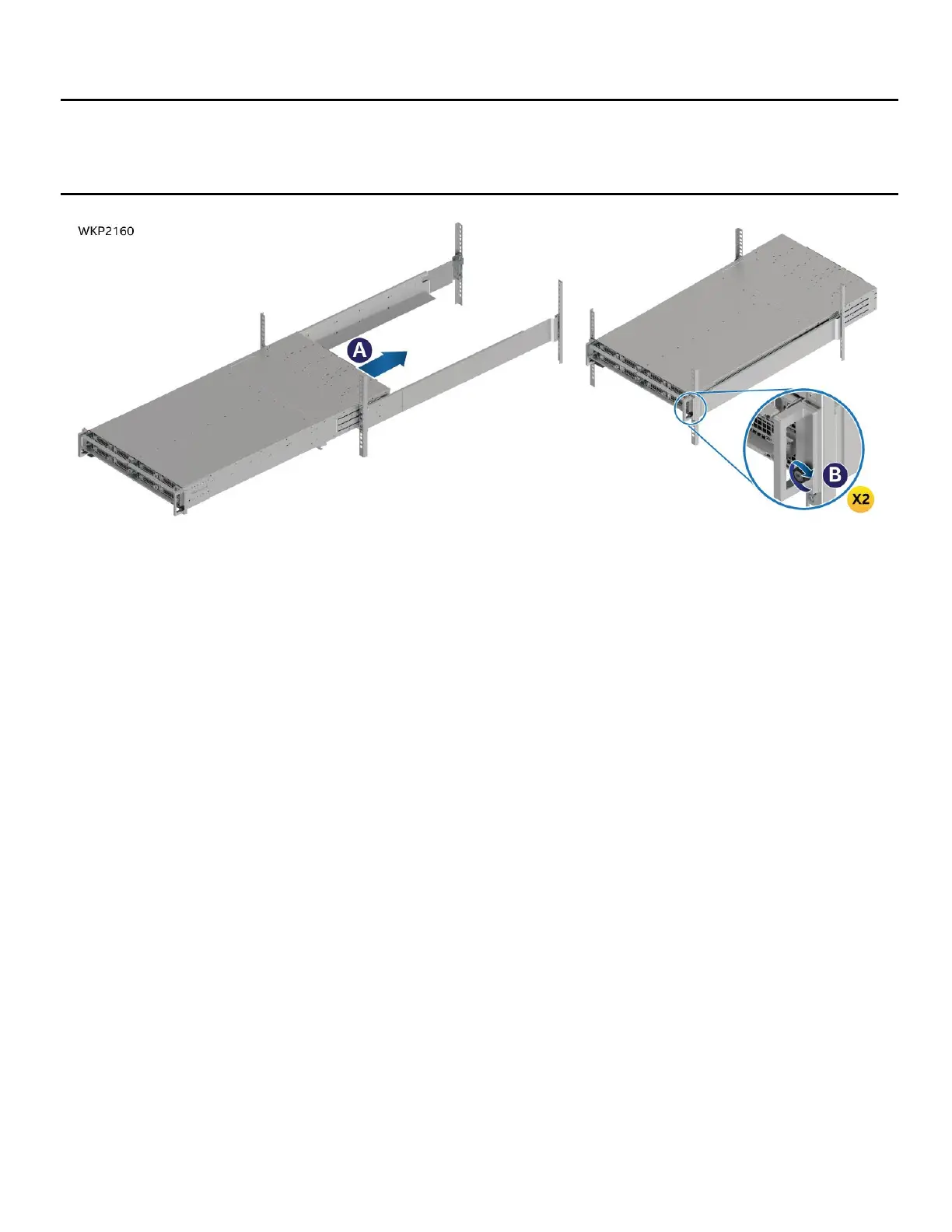
Figure 58. Installing the Chassis into the Rack
1. Insert the chassis onto the rails from the front of the rack and slide it towards the rear of the rack (see
Letter A).
2. Tighten the thumbscrews on the chassis handles to secure the chassis to the rack (see Letter B).
3. If modules were removed, install them into the chassis (see Section 3.2.2).



 To Next Page