Intel® Server D50DNP Family Integration and Service Guide
50
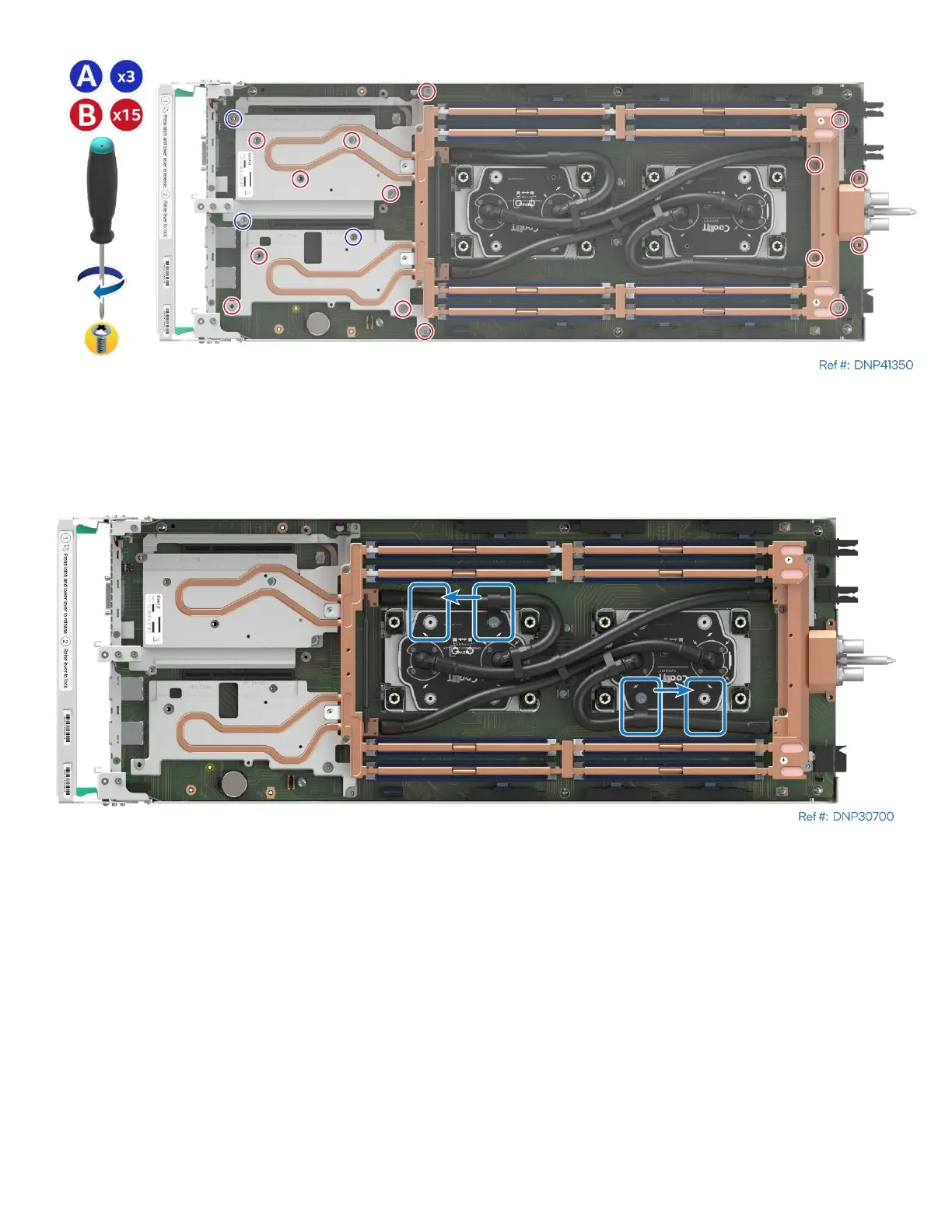
Figure 44. Securing Liquid-Cooling Loop
11. Using three 8-mm long screws with washers (see Letter A), secure the liquid-cooling loop to the server
board. Tighten to 5 in-lb.
12. Repeat the previous step using fifteen 12-mm long screws with washers (see Letter B). Tighten to 5 in-lb.
Figure 45. Tube Ties Position Adjustment
13. If needed, adjust the position of the ties securing tubes to the cold plates to ensure they do not cover
DIMM slots.



 To Next Page