Intel® Server D50DNP Family Integration and Service Guide
166
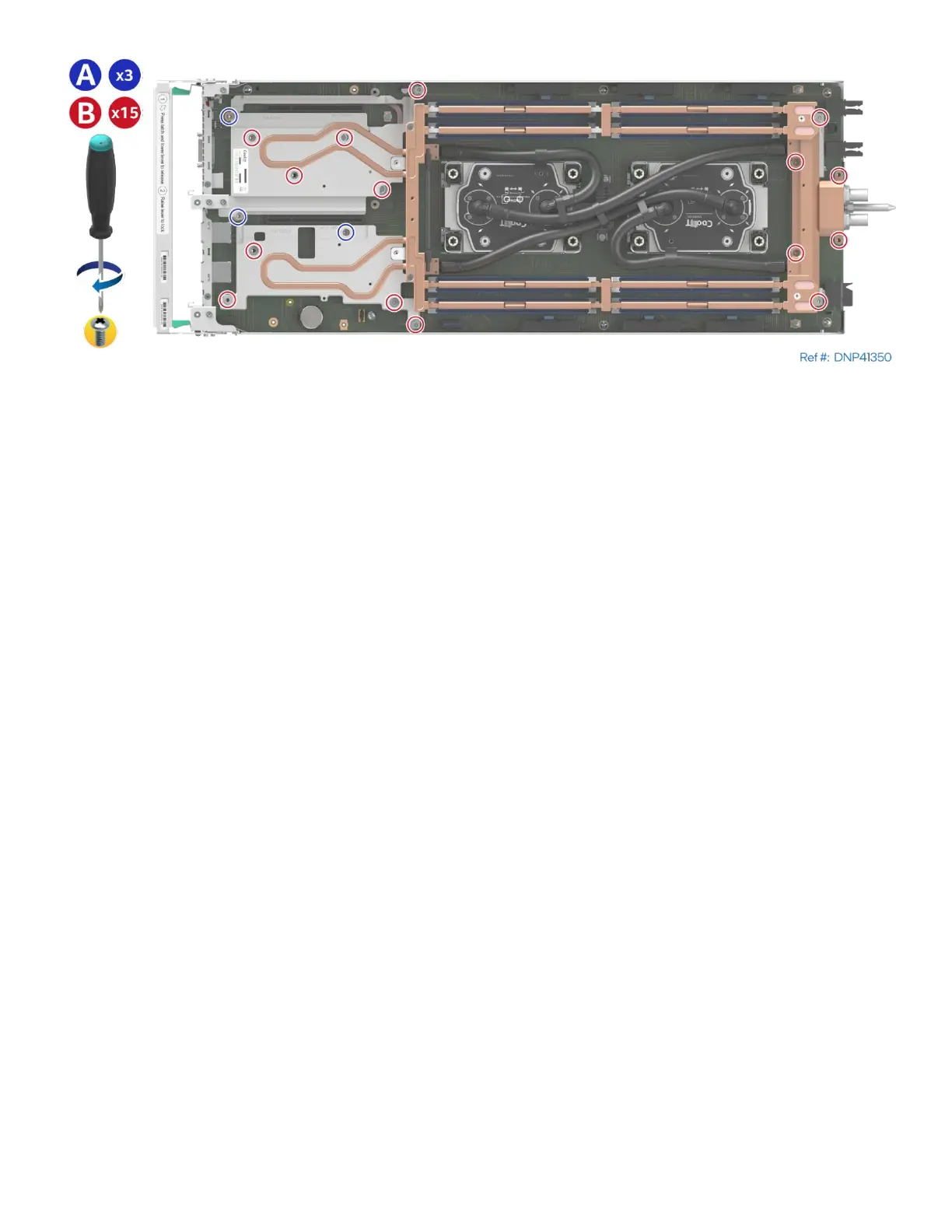
Figure 222. Securing the Liquid-Cooling Loop
30. Using three 8-mm long screws with washers (see Letter A), secure the liquid-cooling loop to the server
board. Tighten to 5 in-lb.
31. Repeat the previous step using fifteen 12-mm long screws with washers (see Letter B). Tighten to 5 in-lb.



 To Next Page