Intel® Server D50DNP Family Integration and Service Guide
92
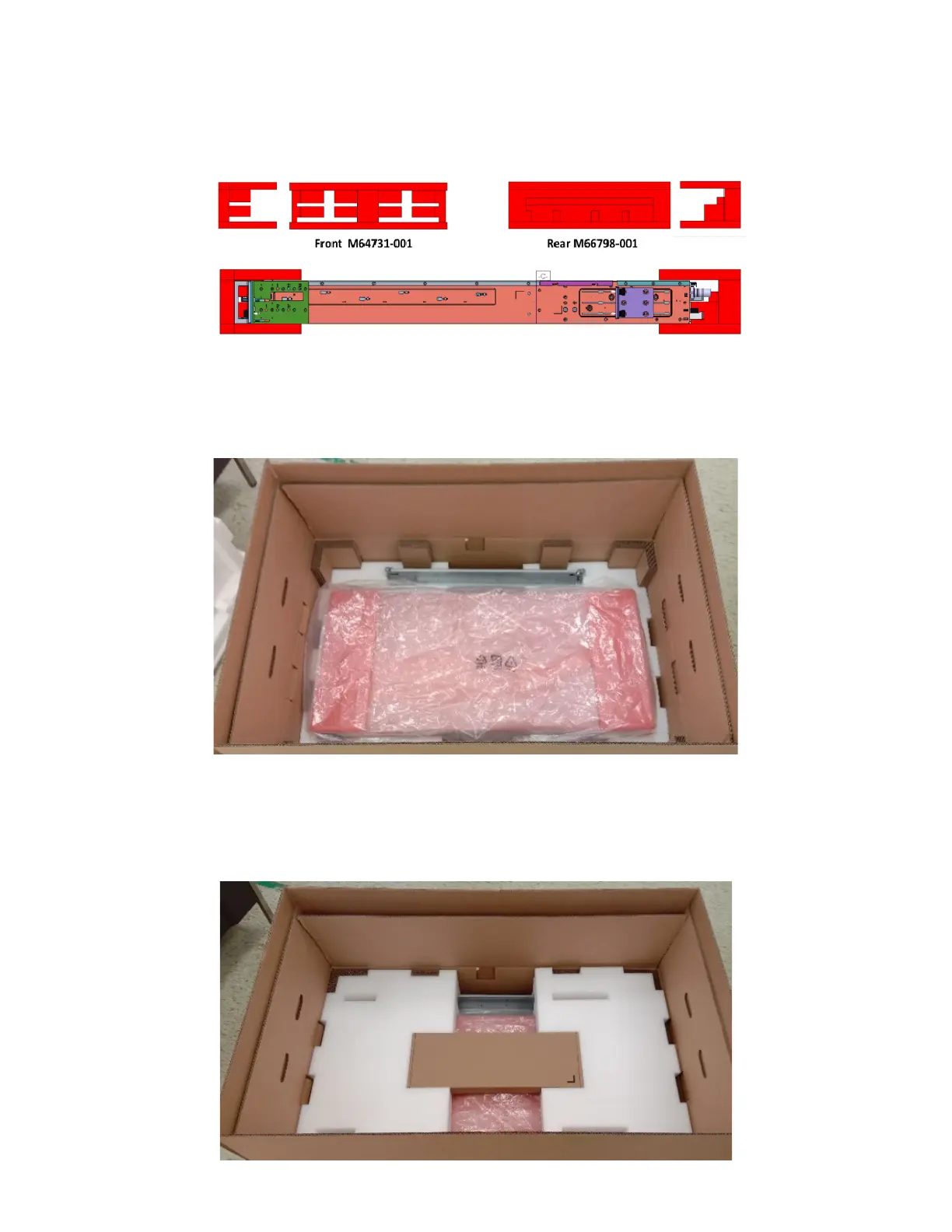
3. Install the front foam element (M64731-001) in the front of the system (left piece in the following
illustration) and the rear foam element (M66798-001) in the rear of the system (right piece in the
following illustration).
4. Carefully place the system into the shipping bag and tape the bag shut.
5. Carefully lower the system into the inner shipping box as shown on the following picture.
6. Put the front foam element (
M99013-001) on the left and the rear foam element (M99001-001) on
the right as shown on the following picture. Then place the accessory kit box (H49469-001) in the
cut-outs of the top elements.



 To Next Page