215184 165 Revision A
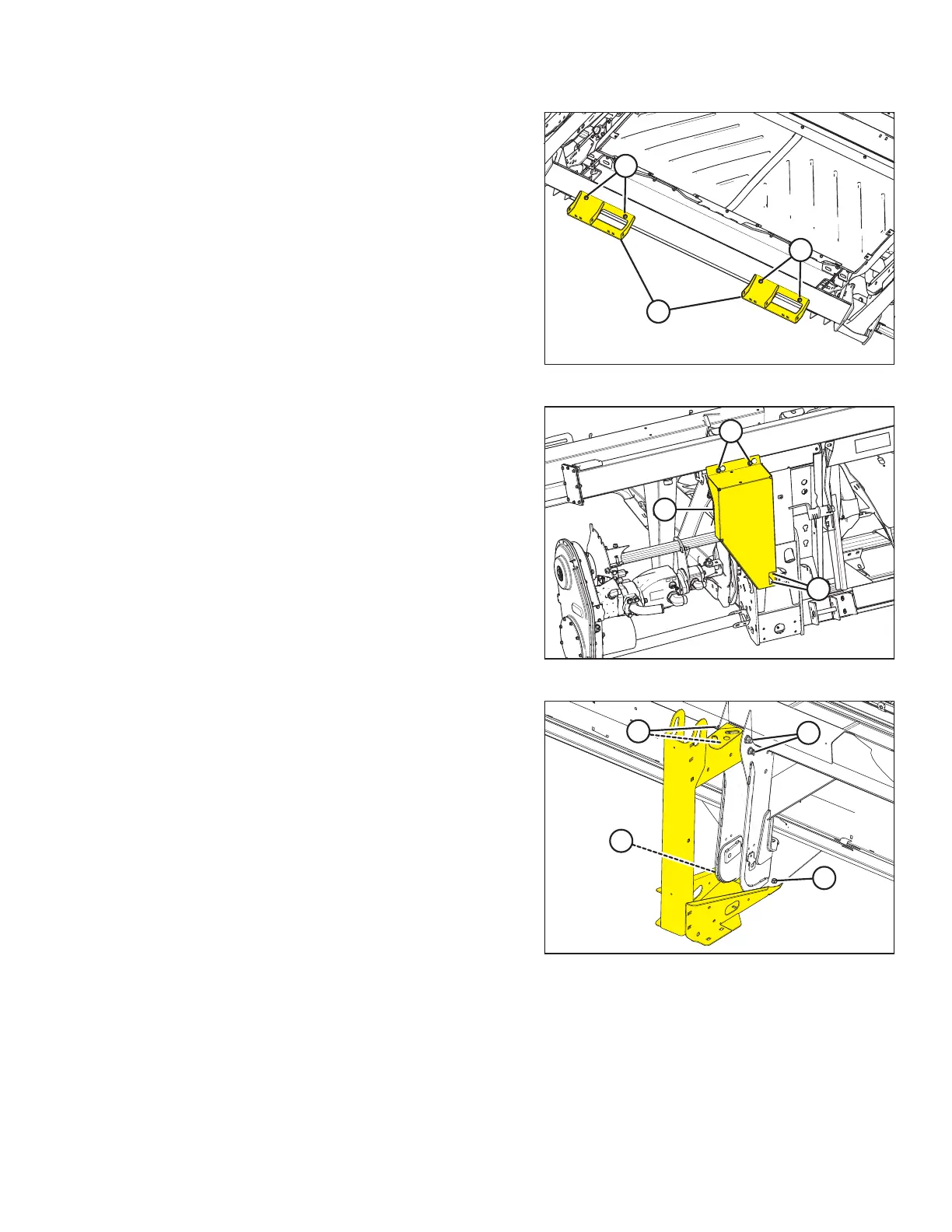
Figure 5.21: View from below the Header
8. Remove four bolts (A) and remove shipping stands (B) from
the bottom of the float module.
Figure 5.22: Coupler Cover
9. Remove two bolts (A) securing bottom of coupler cover (B)
to the float module.
IMPORTANT:
Do NOT remove bolts (C) because they hold multicoupler
components in place. Loosen bolts (C) only enough so that
coupler cover (B) can be removed, and then make sure you
retighten the bolts.
10. Loosen two bolts (C), slide coupler cover to the left until
cutouts are aligned with bolts, and then remove
coupler cover.
11. Tighten two bolts (C).
Figure 5.23: Shipping Stands at Outboard Header Legs
– Right Shown
12. Remove four bolts (A) and two bolts (B) from the shipping
stands at both outboard header legs. Remove stands.
UNLOADING HEADER AT DEALER



 To Next Page