215184 167 Revision A
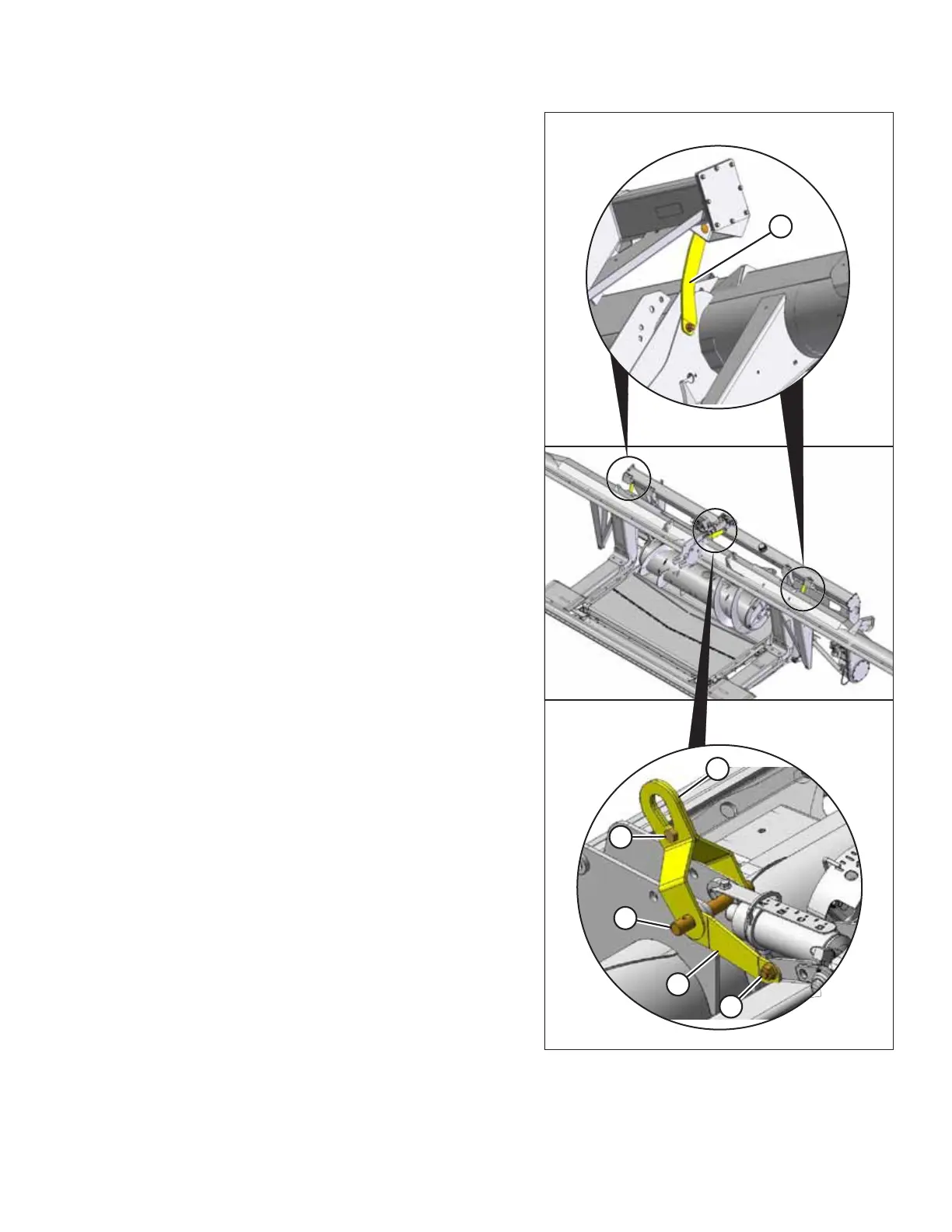
Figure 5.26: Braces
16. Remove two braces (A) securing float module to header.
17. Remove bolt and nut (B) securing brace to backtube.
18. Remove cotter pins from pin (C) attaching center-link and
shipping braces to header. Do NOT remove pin.
19. Loosen bolt (D) in lifting bracket (E) and remove it.
20. Slip lifting bracket off pin.
21. Slip brace (F) off pin. Reinstall cotter pins.
UNLOADING HEADER AT DEALER



 To Next Page