215184 234 Revision A
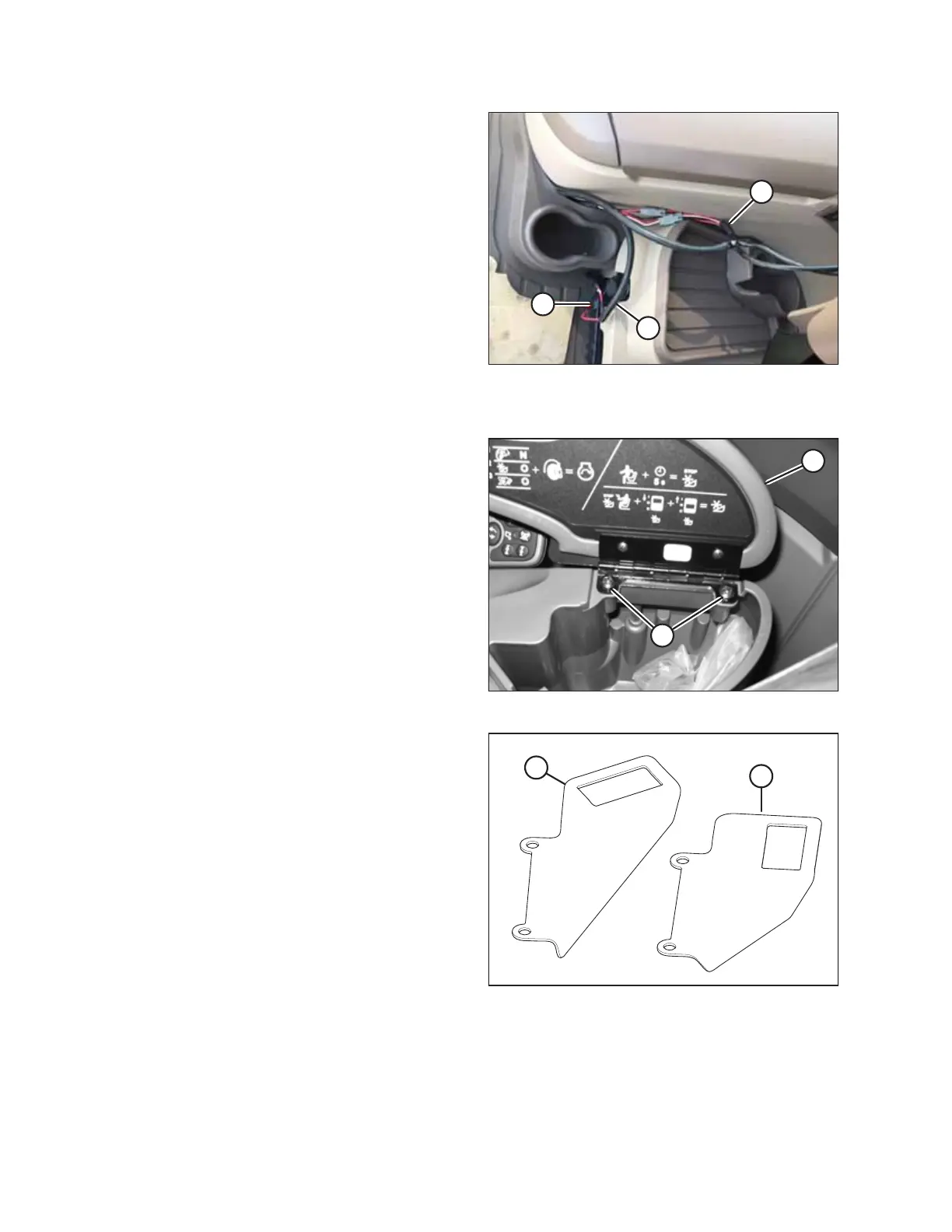
Figure 7.68: Harness Connections
9. Pull the ends of cab draper extension harness (A) up into
the cab through hole (B).
NOTE:
The illustration shows an S6, S7, T6, or T7 Series combine.
Earlier models may look different.
10. Connect cab draper extension harness (A) to cab draper
control harness (C) (MD #304210) as follows:
• Plug C4B into C4A.
• Plug C6B into C6A.
11. Reinstall floor mat.
NOTE:
Any extra wire can be placed between the floor mat and
the right console at the cup holder.
Figure 7.69: Storage Compartment and Cover
12. For S6 Series, T6 Series, and earlier combines: In the
combine cab, open the storage compartment on the
console.
13. For S6 Series, T6 Series, and earlier combines: Remove two
screws (A) attaching compartment cover (B) to the console
and then remove the cover.
Figure 7.70: Rocker Switch Supports
14. For S6 Series, T6 Series, and earlier combines: Two rocker
switch supports are provided: MD #158377 (A) and
MD #220734 (B). Select the one you need to use:
• MD #158377 – Used on John Deere 60 and 70 Series
combines
• MD #220734 – Used on John Deere S and T Series
combines
ATTACHING HEADER TO COMBINE



 To Next Page