Control
P/N 7010-0628
3-19
Literal text string, Point WGS84 latitude, Point WGS84
longitude, or Point height.
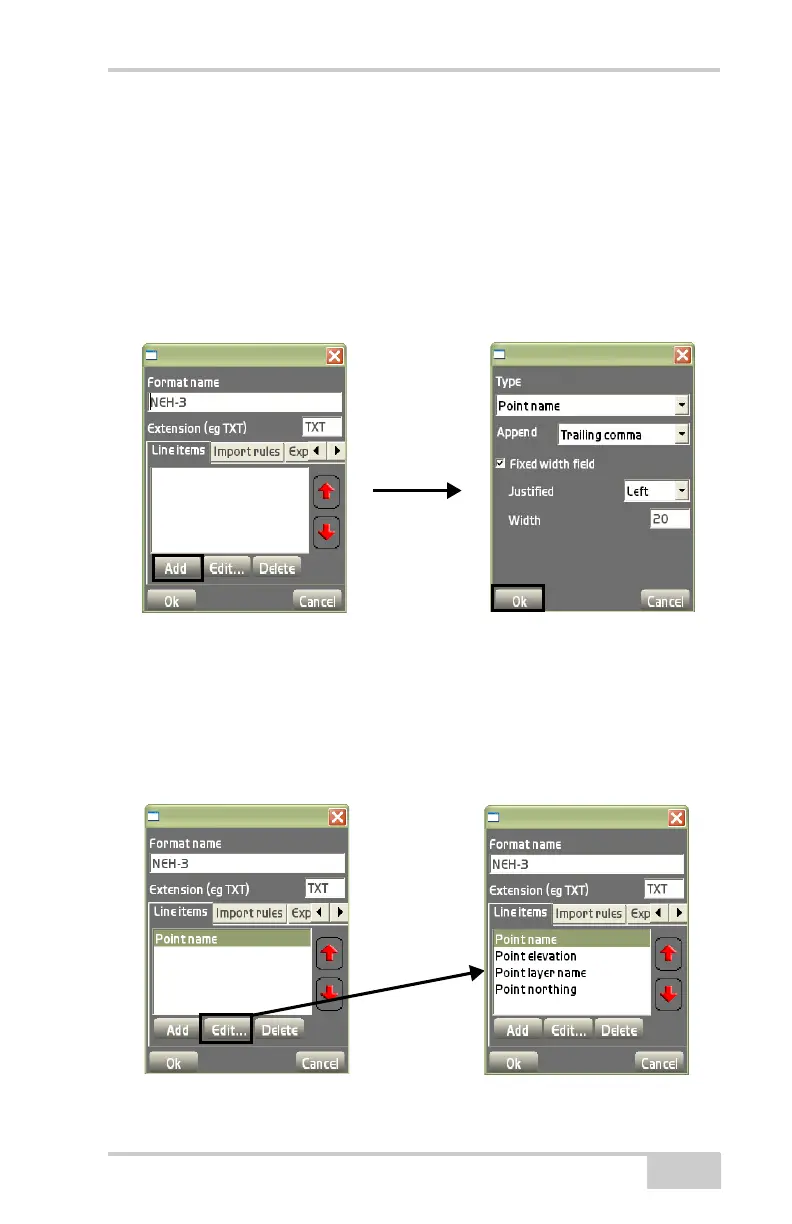
– Append: select either Trailing comma, Trailing space,
Trailing tab, or Northing.
– Fixed width field: enable to select a fixed width for each field.
– Justified: select Left, Right, or None.
– Width: enter the desired value for field width.
Figure 3-29. Enter Line Item Information
• Edit – on the Line items tab, press Edit to edit the selected line
item. See the “Add” bullet on “
page 3-18” and Figure 3-30 for
details on editing the line item.
• Delete – on the Line items tab, press Delete to remove the
selected line item. (
Figure 3-30).
Figure 3-30. Line Items Tab



 To Next Page