Survey Menu
Pocket-3D Reference Guide
4-46
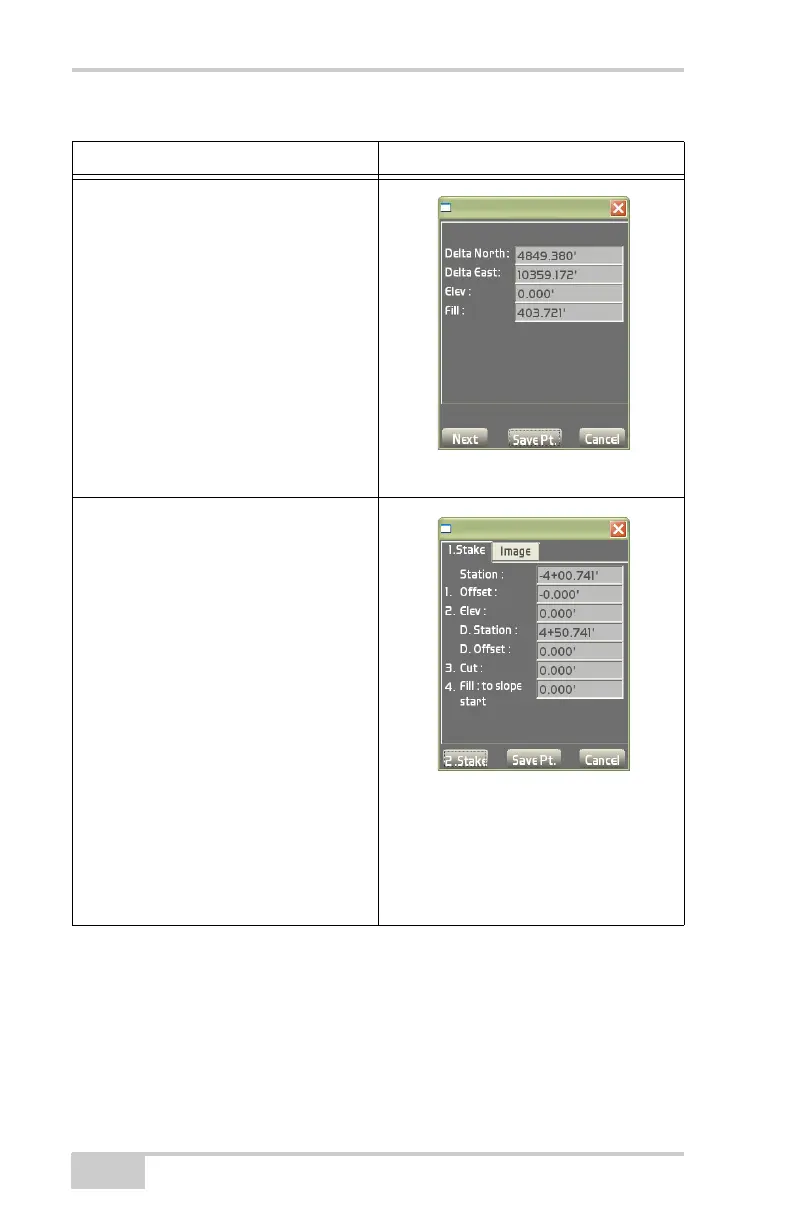
On the results screen above (Table 4-1):
• Press 2.Stake to measure a second point on the side slope.
• Press Save Pt. to enter or select the following (Figure 4-70 on
page 4-47):
– Pt. number: enter the point number.
Coordinate / Control point / Custom
Point List / Edit control point list
• Delta North – shows the distance
North of the point being staked out.
• Delta East – shows the distance East
of the point being staked out.
• Elev – shows the elevation point.
• Cut/Fill – shows the cut or fill value in
relation to the design surface.
• Ok – returns to the main screen.
• Save Pt. – press to save a control
point and its respective information.
Side Slopes / Cross section slope
1.Stake
• Station – shows the station number.
• Offset – shows the elevation point.
• Elev – shows the elevation point.
– D.Station: shows northern
information for the stake-out.
– D.Offset: shows eastern
information for the stake-out.
• Cut: – shows the cut value in
relation to the design surface.
• Fill : to slope start – shows the fill
value at the beginning of the slope
• Ok – returns to the main screen.
• Save Pt. – press to save a control
point and its respective information.
Table 4-1. Results Screen (Continued)
Stake-out Point Method Results Screen



 To Next Page