Installing Pocket-3D
Pocket-3D Reference Guide
1-14
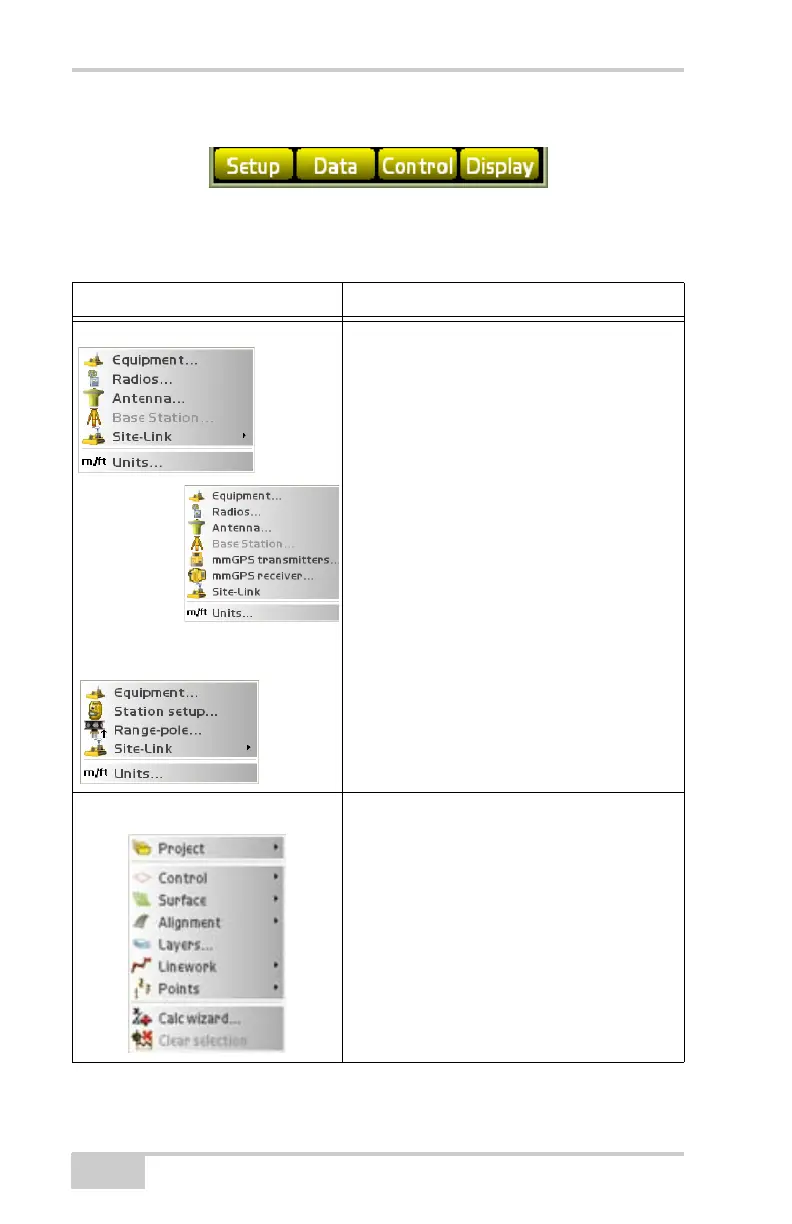
Figure 1-20. Pocket-3D Menu Bar
Table 1-2 describes the functions available in each menu.
Table 1-2. Pocket-3D Menu Options
Menu Functions
Setup Menus The options available in the Setup menu
depend on the equipment file selected.
• configures equipment and machine setups
• configures radios, antennas, and base
stations in GPS applications
• configures transmitters and receivers in
mmGPS applications
• configures GRT-2000 setup and LS-2000
receivers in LPS applications
• configures total stations and prisms in total
station applications
• sets the units for the job
• Connect to Site-Link
Data Menu The options available in the Data menu
depend on the equipment file and design
surface file selected.
• creates, configures, and sets control point
files
• creates, configures, and sets surface files
• creates, configures and sets linework files
• creates, configures and provides access to
importing or exporting control, files, point
files, and Site-Link files.
• performs various calculations



 To Next Page