Setup Menu
Pocket-3D Reference Guide
2-14
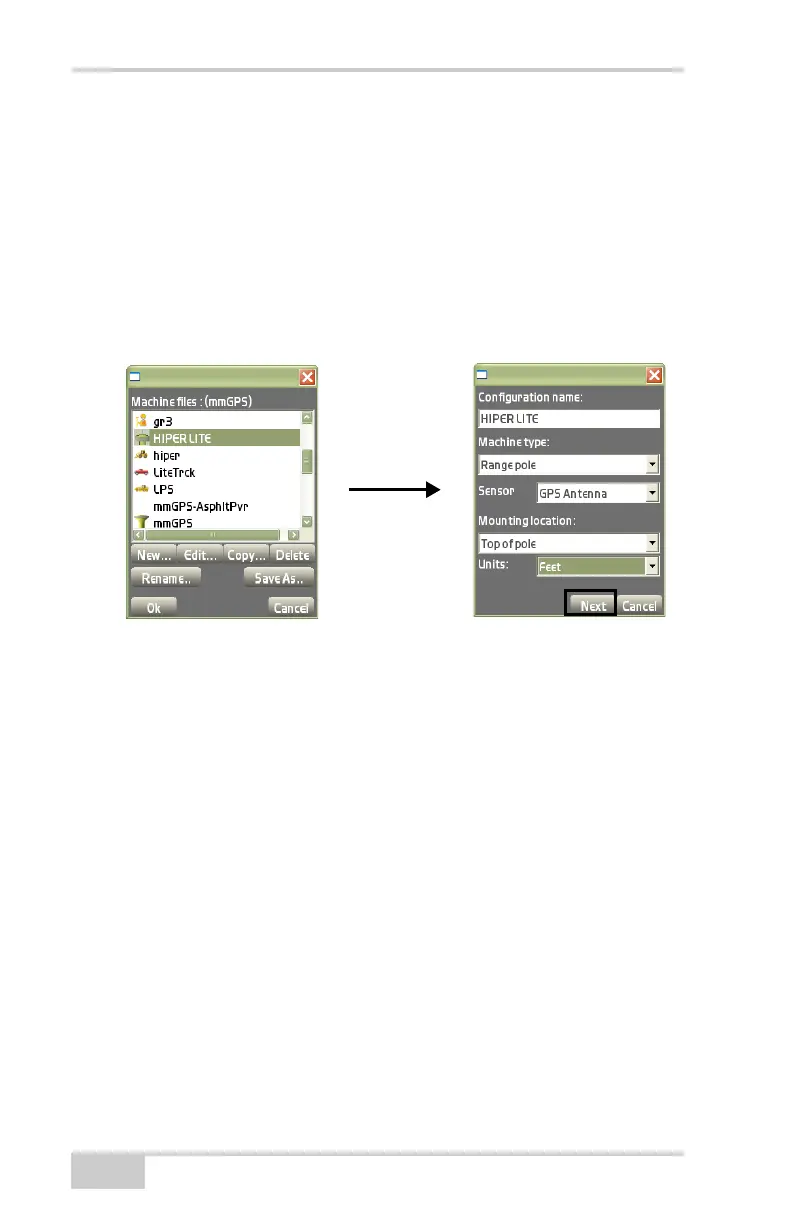
• Configuration name – enter a name for the Equipment
Configuration file on the alphanumeric pop-up keyboard.
• Machine type – select Range pole from the drop-down list.
• Sensor – select GPS Antenna from the drop-down list.
• Mounting location – select Top of pole from the drop-down
list.
• Units – select the type of unit measurement from the
drop-down list.
Figure 2-19. Equipment Configuration Dialog Box
4. Enter the following information on the Dimensions tab using the
same units of measurement entered in the previous step, then
press Next to continue (
Figure 2-20). These settings have a
corresponding Image tab to illustrate the setup.
• Antenna type – select Topcon HiPer Lite.
• Antenna height – enter the antenna’s measured height.
• Measured to – select either Base or Rim.
• Connection (Pocket-3D) – select the appropriate connection.



 To Next Page