Equipment Configuration Files
P/N 7010-0628
2-15
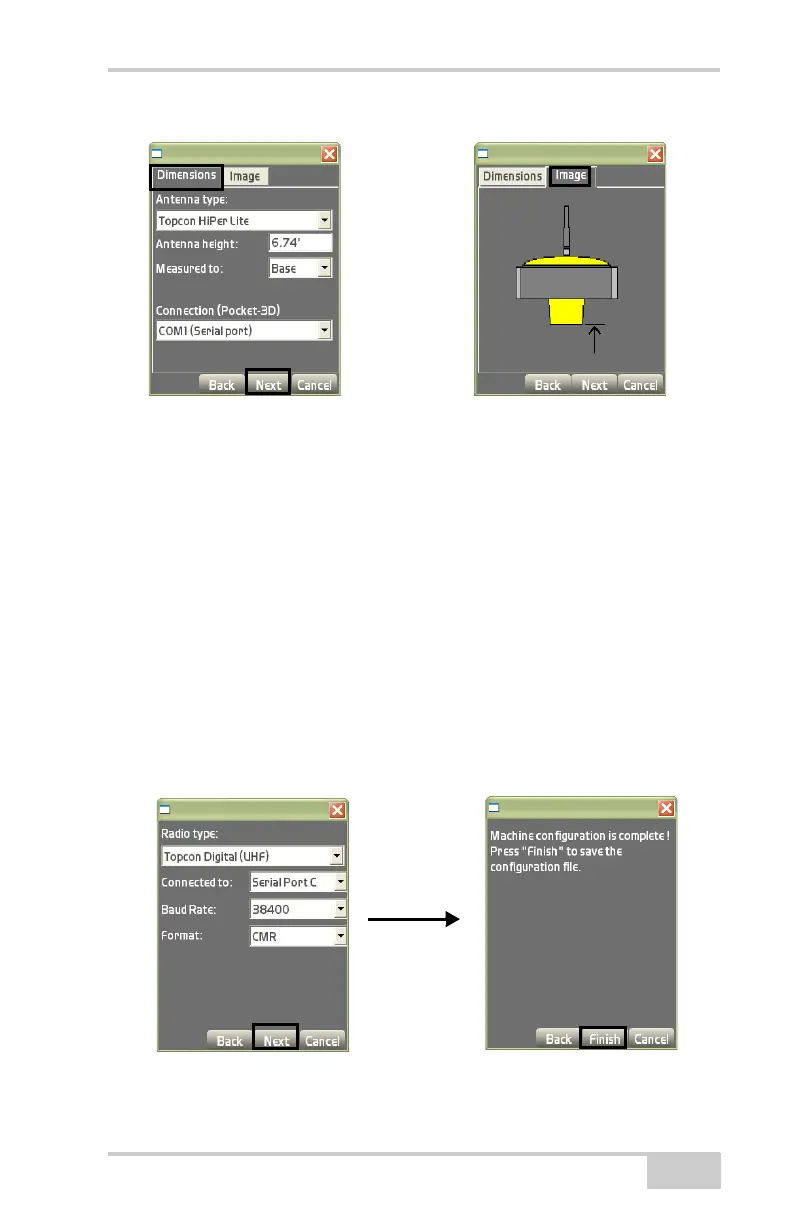
Figure 2-20. Antenna Information – Dimensions/Image Tab
5. On the advanced dialog box (Figure 2-21), set the following
radio parameters, and press Next to continue:
• Radio type – for a HiPer Lite, the default is selected;
otherwise, select the radio type for the receiver.
• Connected to – select serial port (usually Port C) from the
drop-down list.
• Baud rate – select 38400 from the drop-down list.
• Format – select CMR from the drop-down list.
6. On the confirmation screen, press Finish to save the
configuration file (
Figure 2-21).
Pressing Cancel will cause the configuration’s information to be
lost.
Figure 2-21. Radio Setup Dialog Box



 To Next Page