Station Setup
P/N 7010-0628
2-39
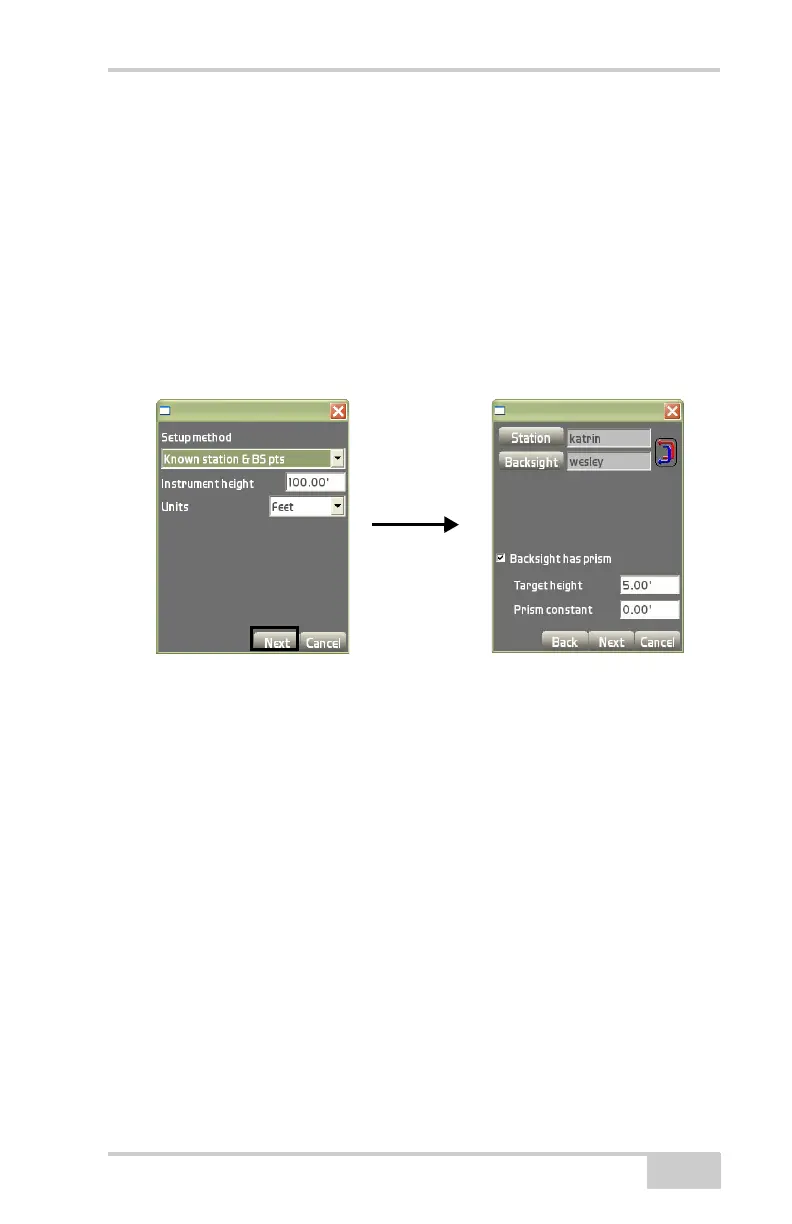
• Station – select the control point over which the instrument is
set (only if ‘Point’ is selected in the FIlter List field above).
• Backsight – select the control point used as the backsight.
• Backsight has prism – check mark this box if the backsight
has a prism.
– Target height: enter the height of the backsight prism.
– Prism constant: enter the prism constant for the backsight
prism.
Figure 2-53. Known Station & BS Points Setup Method
Known station & azimuth select a station point from the list of
control points and enter an azimuth value for the orientation.
1. On the Setup method dialog box (Figure 2-55 on page 2-40),
enter instrument height and unit of measurement as described on
page 2-38.
The backsight setup dialog box displays.
2. On the backsight setup dialog box (Figure 2-55 on page 2-40),
select or enter the following parameters:
• Filter List – select either Control points or Point from the
drop-down list.
• Layer – select a layer from the drop-down list, if ‘Point’ was
selected from the Filter List.
• Station – select the control point the instrument is over.
Backsight Setup Dialog Box
Setup Method Dialog



 To Next Page