Setup Menu
Pocket-3D Reference Guide
2-42
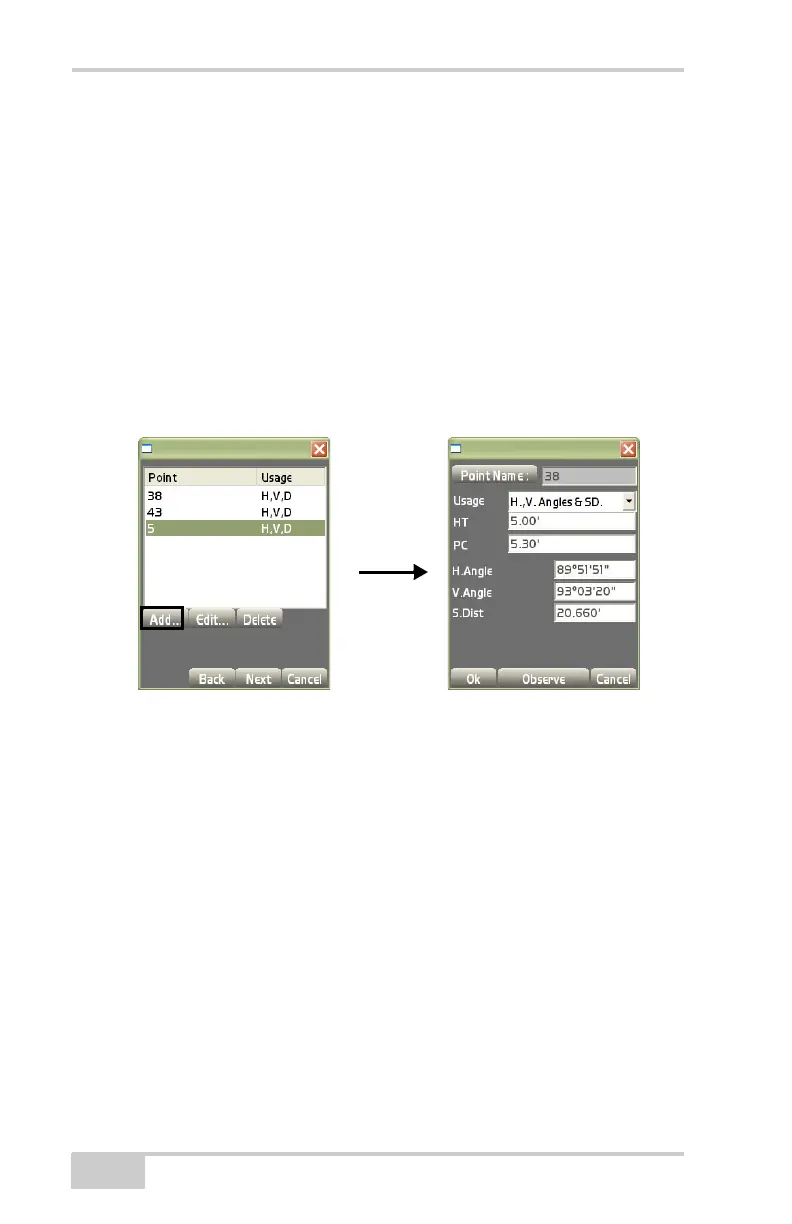
• Usage – select either H. Angle only, H.&V. Angles, H.,V. Angles &
SD., or Disabled to specify how the control point will be used.
• HT – enter the height of the control point’s prism.
• PC – enter the prism constant of the control point’s prism.
• H.Angle – enter the horizontal angle difference.
• V.Angle – enter the vertical angle difference.
• S.Dist – enter the slope distance difference.
• Observe – press to measure the control point.
Figure 2-57. Backsight Results
Unknown point automatically creates this point in the database as
point 1.
1. On the Setup method dialog box (Figure 2-56 on page 2-41),
enter instrument height and unit of measurement as described
above, (
page 2-38) then press Next.
The Station coordinates dialog box displays (Figure 2-58 on
page 2-43).
2. The Station coordinates dialog box (Figure 2-58 on page 2-43)
verifies the North(ing), East(ing), and Elev(ation) for the new
control point.
Control Points dialog
Backsight Results dialog



 To Next Page