Connecting to SiteLink-3D
P/N 7010-0628
2-53
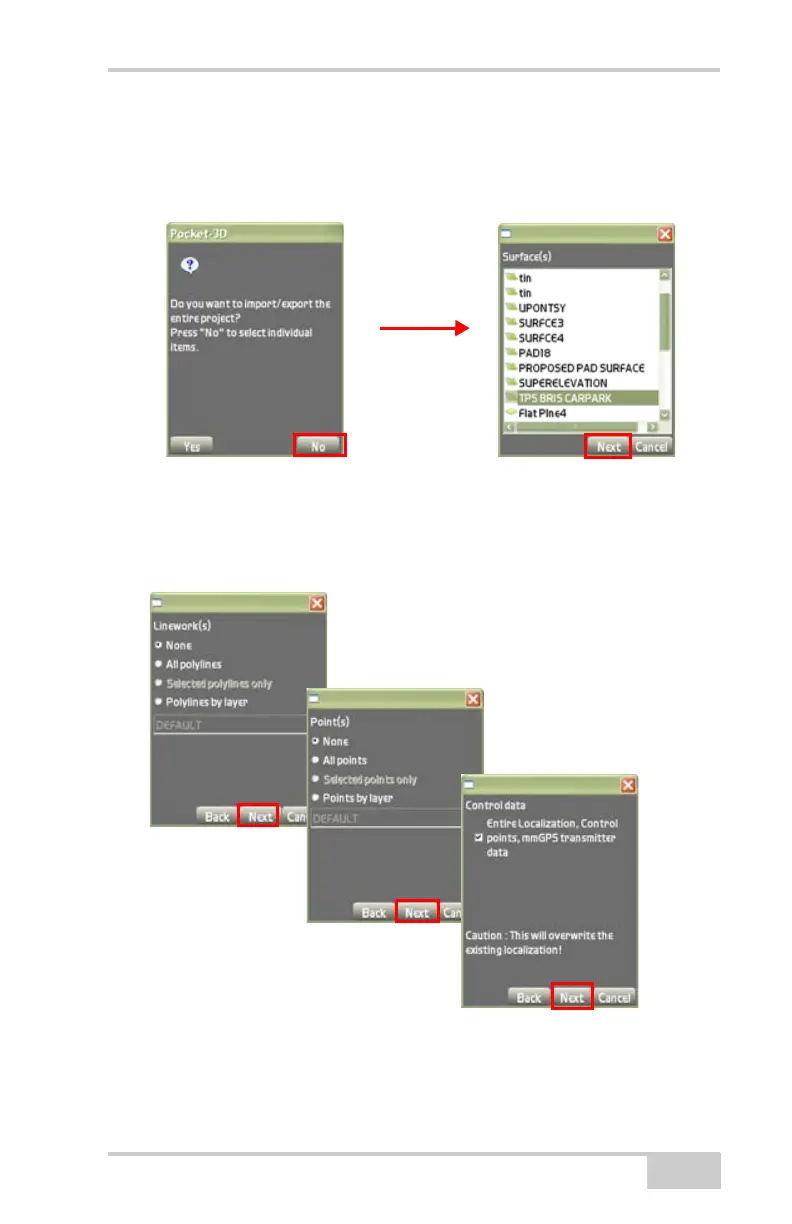
• On the Pocket-3D confirmation dialog box, press No.
•On the Surface(s) dialog box, highlight a file to select it, then
press Next (
Figure 2-72 on page 2-53).
Figure 2-71.
7. On the Linework(s), Point(s), and Control Data dialog boxes,
check and enable the desired selection after pressing Next
(
Figure 2-72).
Figure 2-72. Linework, Point, and Control Data Dialog Boxes
8. After pressing Next on the Control data dialog box, the import
data dialog box displays (
Figure 2-73 on page 2-54).
Select Linework(s)
Select Points
Select Control Data



 To Next Page