Label
Manual m600 basic 2.6_01 99
7
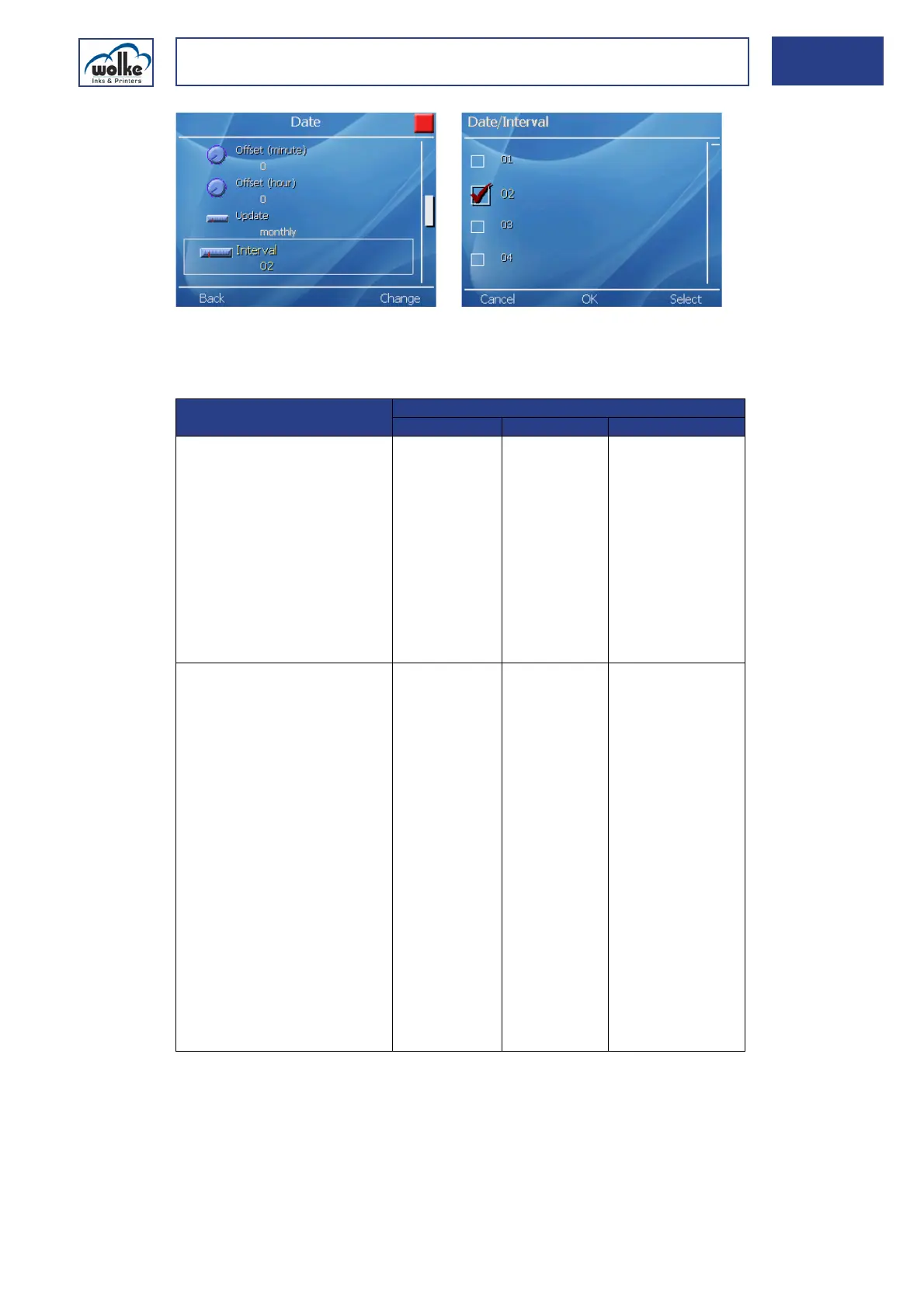
Fig. 7_159: Date – Interval, update monthly
Settings for the update mode and interval on the basis of an example:
Date
Tab. 7_9: Examples for update mode and intervals
For an explanation on the menu items Font size [mm], X position [mm],
Y position [mm] and Delete object, please refer to Chapter 7.3.1.
Update mode Interval
Start date Interval 1st update
Weekdays:
The date is always updated on a
certain day of the week.
Interval abbreviation:
0 = Sunday
1 = Monday
2 = Tuesday
3 = Wednesday
4 = Thursday
5 = Friday
6 = Saturday
03.08.2000
(Th)
1 (= Mo) 07.08.2000
Days of month:
The date is always updated on a
certain day of the month.
Interval code:
1 = first day of the month
2 = second day of the month
.
15 = 15th day of the month
.
31 = 31th day of the month
Note:
The m600 basic always inter-
prets the 31st day as the last
day of the month. If the user
has entered "31" under "in-
terval", updating takes place
on the 28th (29th) day in case
of months with 28 (29) days,
and on the 30th day in case of
months with 30 days.
03.08.2000 15 15.08.2000



 To Next Page