Label
108 Manual m600 basic 2.6_01
7
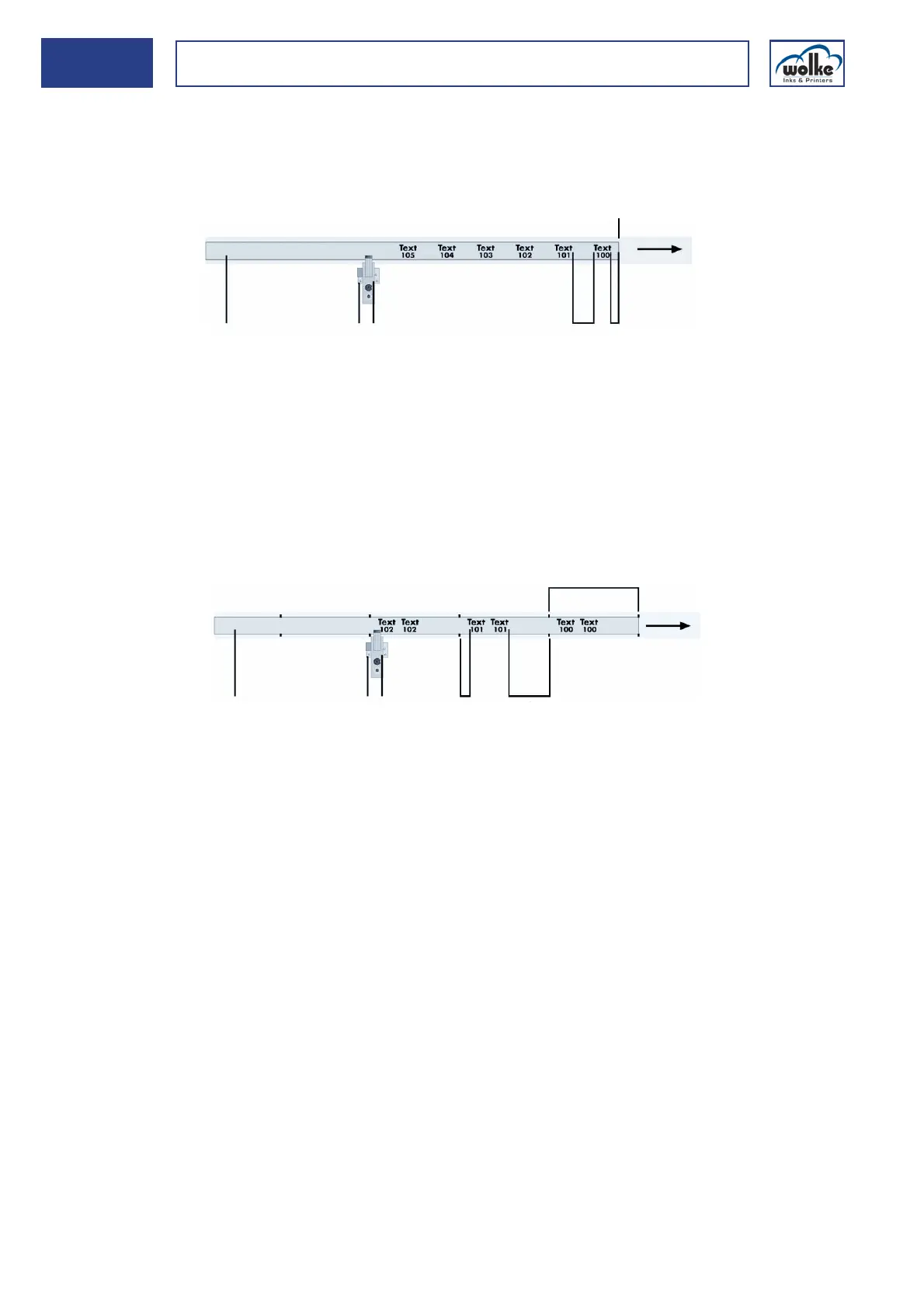
Counter Update per print
The counter status (see previous menu view) is changed by the set step
size after every print (in the examples: counter status 100, step size 1).
Fig. 7_181: Actualization behaviour – Update per print
Update per sensor signal
The counter status is only updated when a new sensor signal is issued.
Fig. 7_182: Actualization behaviour – Update per sensor signal
Update external (counter field with external trigger = pallet counter)
The counter in the m600 basic can also be incremented via an external
trigger by the preset step size. The external inputs must be configured ac-
cordingly (see Chapter 6.2.2). This means that the counter status is not
incremented via the print trigger sensor, properly speaking.
To enable the counter to be triggered and reset externally, updating must
be set to "Update external" in the counter menu under "Update".
If input 3 in the menu System configuration > Ext. inputs" is set to "Coun-
ter input", this counter is incremented upon receipt of the input signal in
the loaded label.
If input 4 is set to "Counter Reset", this counter is reset in the loaded label
once the input signal is received.
1 Print material, e.g. fan-fold paper 4 Distance after
2 Photoelectric cell 5 Distance before
3 Print head 6 Photoelectric cell pulse
1 Print material, e.g. blister band 4 Distance after
2 Photoelectric cell 5 Distance before
3 Print head 6 Photoelectric cell pulse



 To Next Page