Operation
Manual m600 basic 2.6_01 31
5
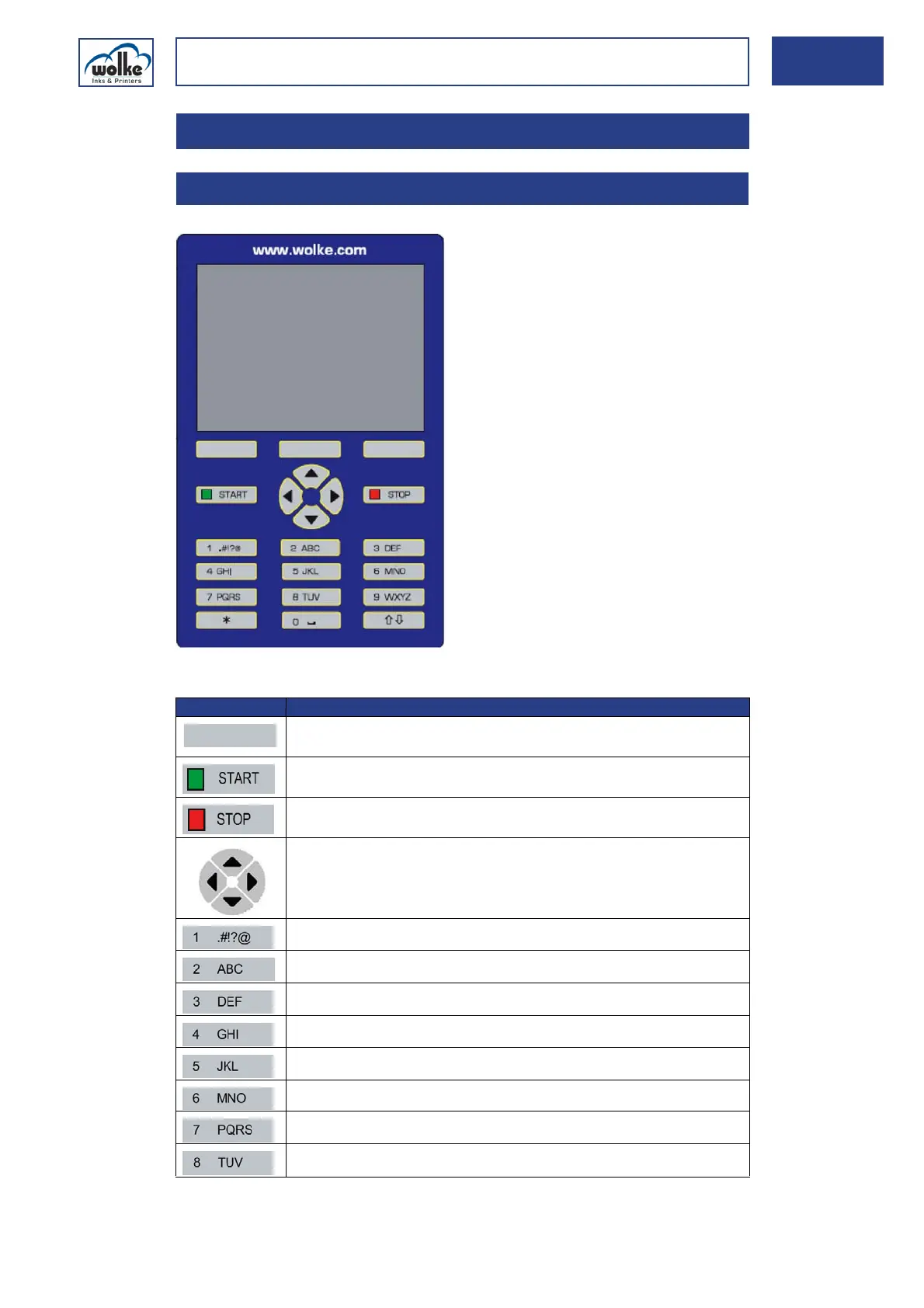
Keyboard
Fig. 5_52: Keyboard
5Operation
5.1 Keyboard
Button Function
Menu-dependent: Back/Cancel/OK/C/YES/NO/Select/Activate/Display/
Change/Insert
m600 basic controller is activated. A green square appears top right in
the screen
m600 basic controller is deactivated. A red square appears top right in
the display
Cursor control buttons to navigate within the menus
.,?!1@'-_():;&/%*#+§\€~[]÷"
ABC2ÄÅÀÁÃÇÆÅ abc2äàáãåæç
DEF3ÈÉ? def3èéð
GHI4ÌÍ ghi4ìí
JKL5£ jkl5£
MNO6ÖÒÓØ mno6öòóø
PQRS7ß$ pqrs7ß
TUV8ÜÙÚ tuv8üùú



 To Next Page