Label
Manual m600 basic 2.6_01 121
7
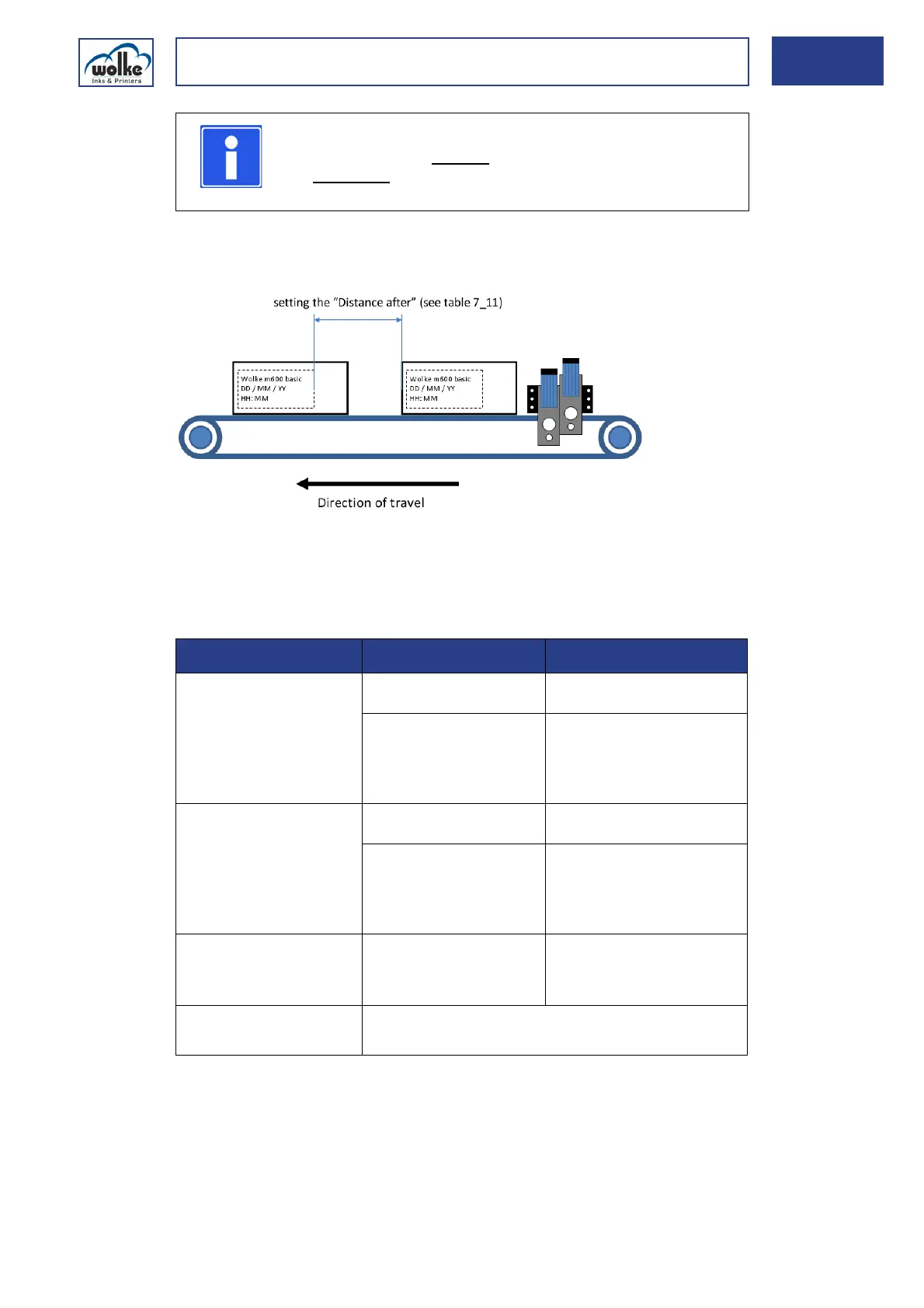
Performance of m600 basic and setting the "Distance after"
The m600 basic has been designed for medium-duty industrial printer ap-
plications (regarding speed and data content). For an optimum print per-
formance, Wolke Inks & Printers GmbH recommends the following
settings:
Tab. 7_12: Setting the „Distance after“ regarding the speed and data volume
NOTE
You can choose a vertical
resolution of 300 or 600 dpi and
a horizontal
resolution of 60, 75, 100, 120, 150, 180,
200, 240, 300, 360, 450 or 600 dpi.
Label format Speed/horizontal
resolution
Settings
• Simple label format
including text, date, and/or
counter fields - 1 or 2 print
heads
• Complex label format
including bitmaps and/or
static bar codes (no embed-
ded data) - 1 print head
up to 60 m/min at 300 dpi Distance after:
minimum 20 mm
greater than 60 m/min Distance After:
contact Wolke Technical
Service
Print Resolution:
adjust per table 7_11
• Complex label format
including bitmaps and/or
static bar codes (no embed-
ded data) - 2 print heads
up to 60 m/min at 300 dpi Distance after:
minimum 35 mm
greater than 60 m/min Distance After:
contact Wolke Technical
Service
Print Resolution:
adjust per table 7_11
• Complex label formats
including bar codes with em-
bedded data - 1 print head
up to 50 m/min Distance After:
minimum 45 mm (for faster
line speeds, please contact
Wolke Technical Service)
• Complex label formats
including bar codes with em-
bedded data - 2 print heads
Please contact Wolke Technical Service for assistance.



 To Next Page