Settings
56 Manual m600 basic 2.6_01
6
External
output 4
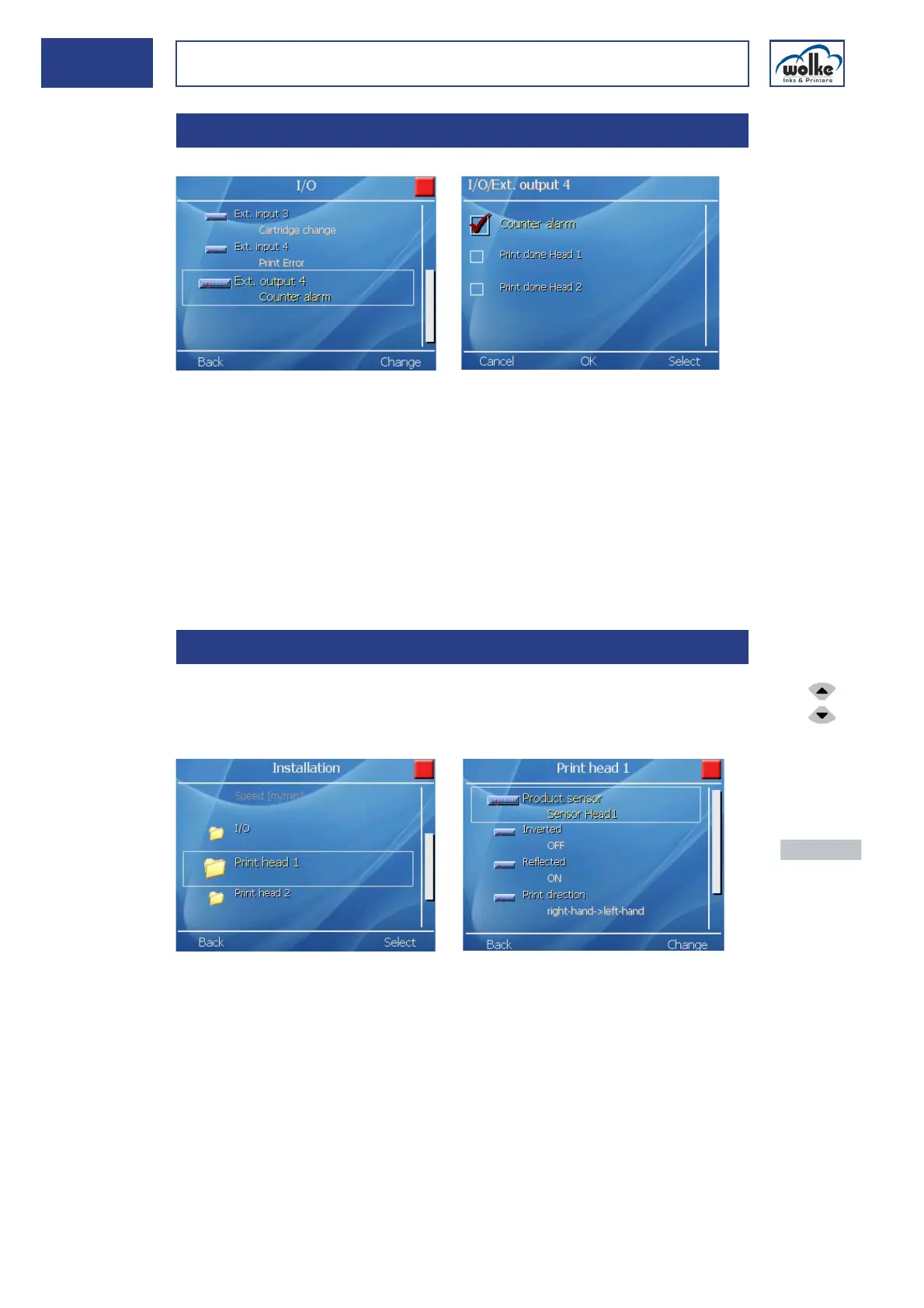
Fig. 6_89: External output 4
Counter alarm
If the counter alarm function is selected, this digital output signals when
the end counter value has been reached if the alarm has been activated
in the relevant counter menu (Chapter 7.3.6).
End of printing, head 1/2
This output signals the end of printing for head 1 (or alternatively for head
2). In this case the end of printing means the end of the label.
Print heads and
print head con-
figuration
The menus in this input mask enable activation of the sensor for head1 or
head2 and the m600 basic to be informed about the position of the text,
possible mirroring, presence of a sensor and the sensor distance.
Fig. 6_90: Installation > Print head 1
6.2.3 External output 4
6.2.4 Print heads and print head configuration
Actuate the
cursor keys to
select the indi-
vidual menu
items.
Actuate the
menu button
"Change" to en-
ter the menu.
Actuate the
menu button
"Back" to return
to the previous
menu view.



 To Next Page