Label
Manual m600 basic 2.6_01 111
7
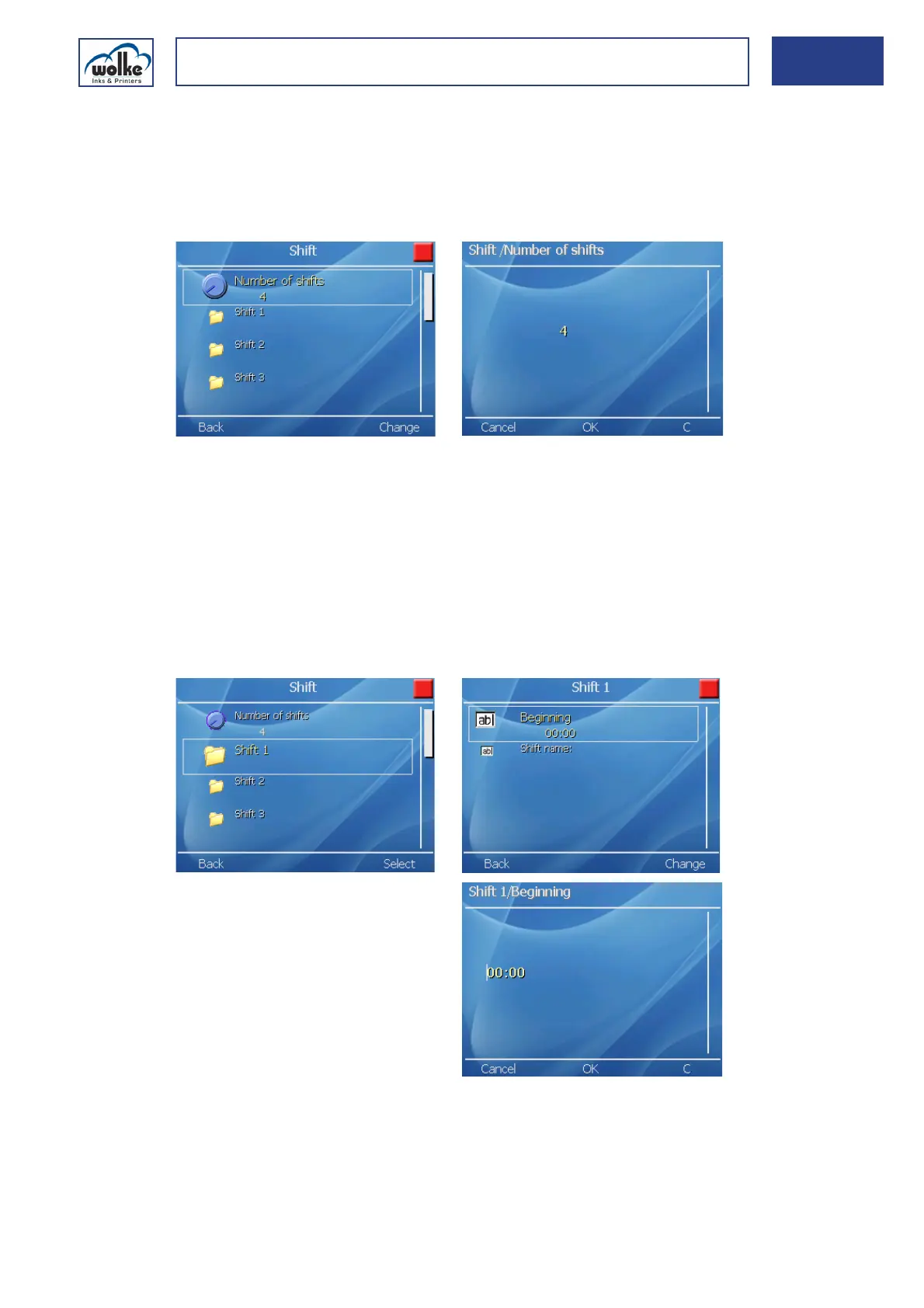
Number of shifts
This menu is for entering the number of shifts in each production day. A
maximum of four shifts are available.
Only the shifts which have been selected (lines) are actively shown, the
other input lines remaining gray.
Fig. 7_189: Number of shifts
ShiftShifts
Every activated shift has a field for entering the start of the shift and the
desired code. The field always begins with the name “Shift”, followed by
the “Number” of the shift. This field cannot be altered. The following part
of the field is for entering the start of the shift, either in 24-hour format
depending on the hours format.
The only time entered for each shift is the time at which the shift begins.
The duration of the shift is derived automatically from the start
of the next shift.
Fig. 7_190: Beginning of shift



 To Next Page