Data exchange
146 Manual m600 basic 2.6_01
13
Load/Save The m600 basic enables data (files) to be exchanged in two ways:
• via a stick (siehe Chapter 13.1)
• via a network with DHCP server (dynamic IP address),
siehe Chapter 13.2
Data exchange
via stick
Prerequisites:
The USB stick must not exceed 18 mm in width, as otherwise it does not
fit correctly into the USB socket. This is due to the design of the mounting
frame of the USB socket which must comply with protection class IP65 re-
quirements.
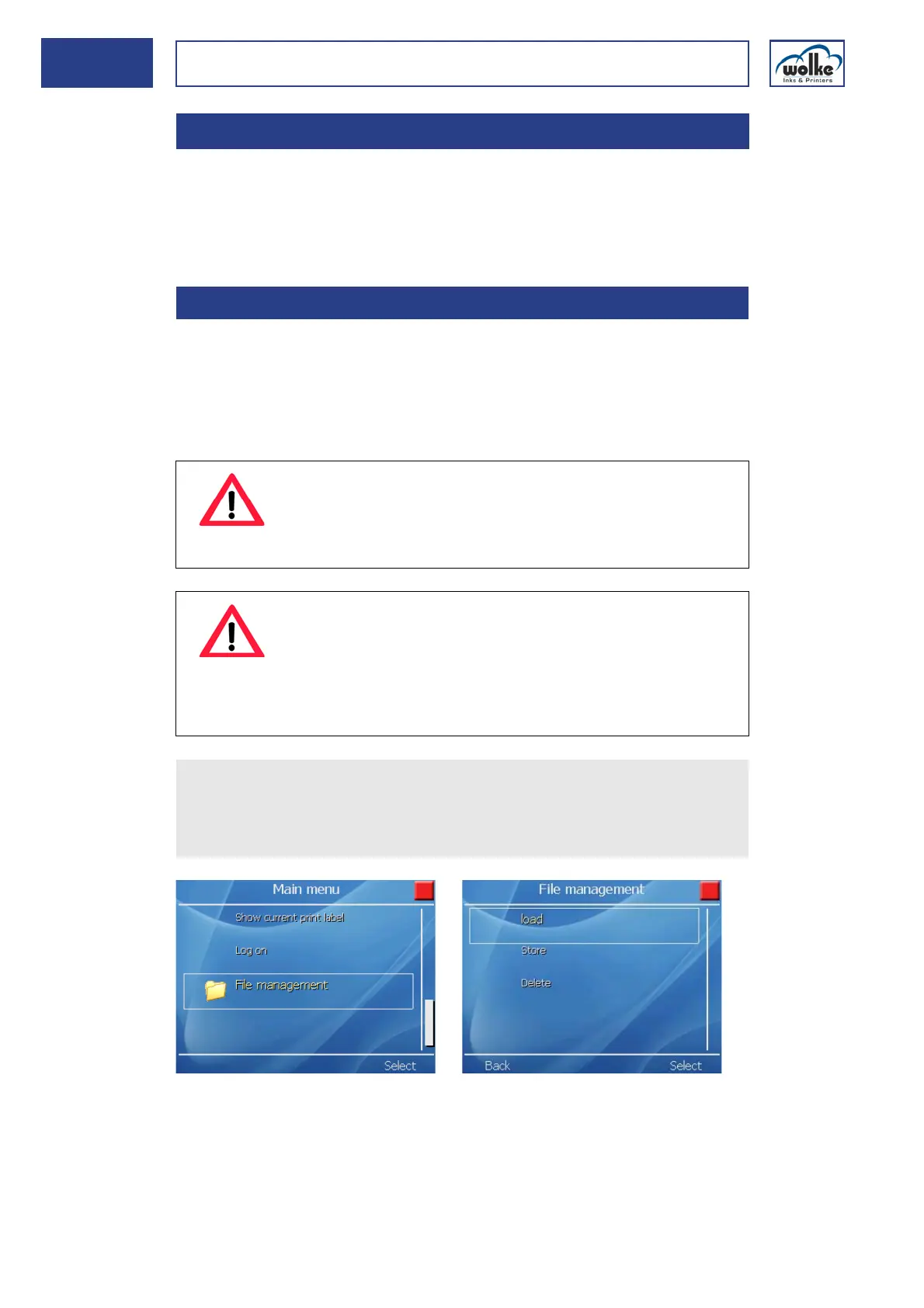
Fig. 13_237: Main menu File management
13 Data exchange
13.1 Data exchange via stick
ATTENTION
For data exchange via stick, the access right must have
been enabled by the administrator.
For data exchange, the printer must be in "stop" mode.
ATTENTION
If the m600 basic is used in a network, the setting "Power
over Ethernet“ (PoE) must be deactivated for the network
being used!
Otherwise, the LAN module of the m600 basic may be
damaged.
Insert the stick in the USB port at the front of the m600 basic.
In the main menu, select "File management" to load files to the
m600 basic, to save them to another stick or to delete files from the
flash disk.



 To Next Page