Label
78 Manual m600 basic 2.6_01
7
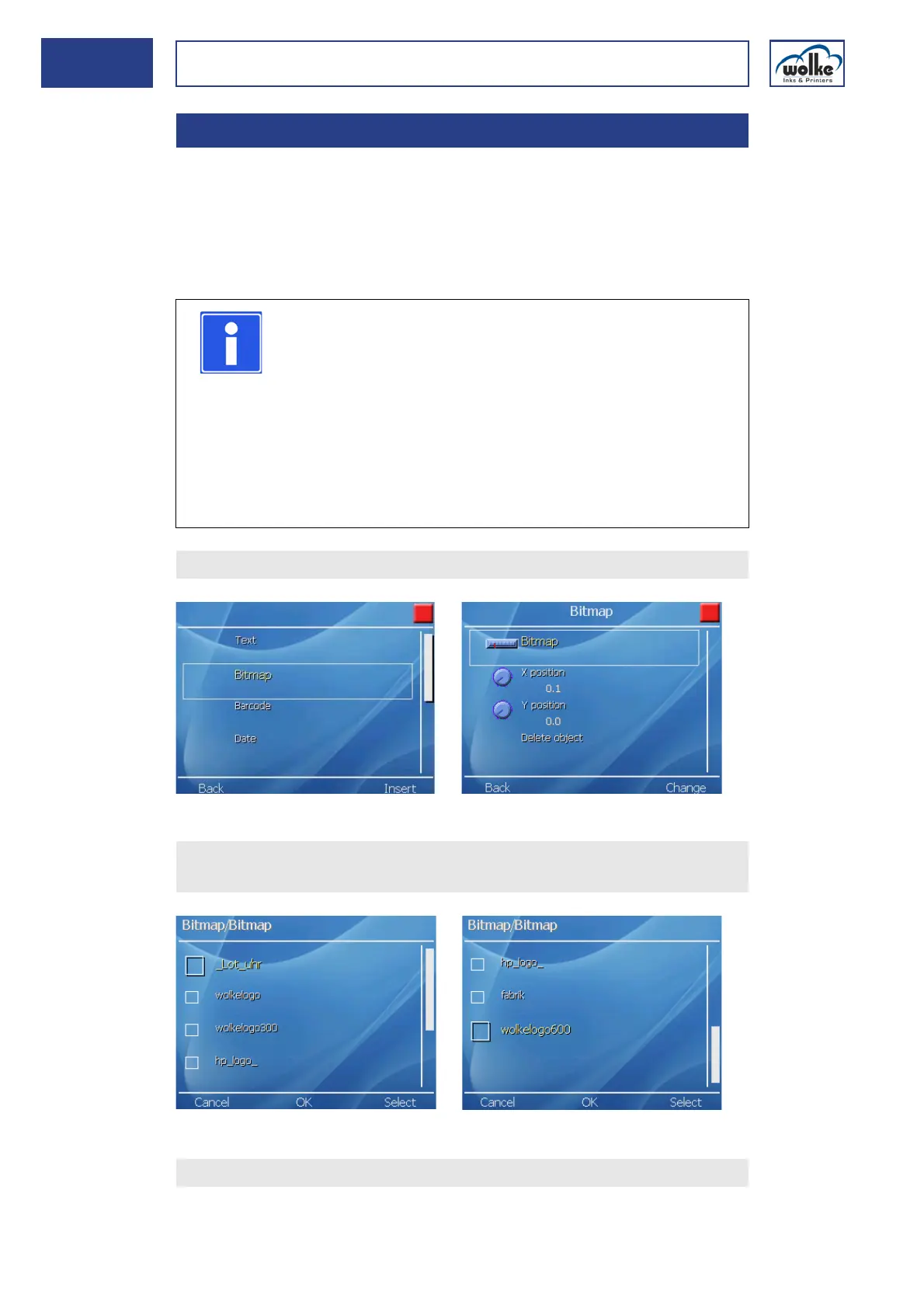
Bitmap This menu item allows you to select logos and graphics (bitmaps) which
have previously been saved and print them. Whenever logos are changed
or new ones are added they have to be saved in a graphics program as a
black-and-white bitmap (file ending "bmp") in the final printing size with
a resolution of 600 x 600 dpi.
For loading a bitmap, see Chapter 13, "Data exchange".
Fig. 7_125: New object bitmap
Fig. 7_126: Selection of the required bitmap
7.3.2 Bitmap
NOTE
The following applies for bitmaps you have created
yourself:
• Standard Windows Bitmap, monochrome (colour depth
1bit)
• Resolution of 600 x 600 dpi
• The bitmaps are not scaled, i.e. they cannot be varied in
size in the m600 basic, as can e. g. texts or barcodes.
• If a bitmap has a resolution of 300 x 300 dpi, the printed
bitmap only has half the width and half the height of the
original bitmap.
Select "Bitmap" as new object.
Select the required bitmap from the list.
Acknowledge by pressing "OK".
If applicable, define the X and Y position.



 To Next Page