Installation
Manual m600 basic 2.6_01 25
4
To ensure the pulse generator transmits the correct product speed, as far
as possible, the following must be considered:
• Install the pulse generator as close to the print heads as possible (ideally in
the same track).
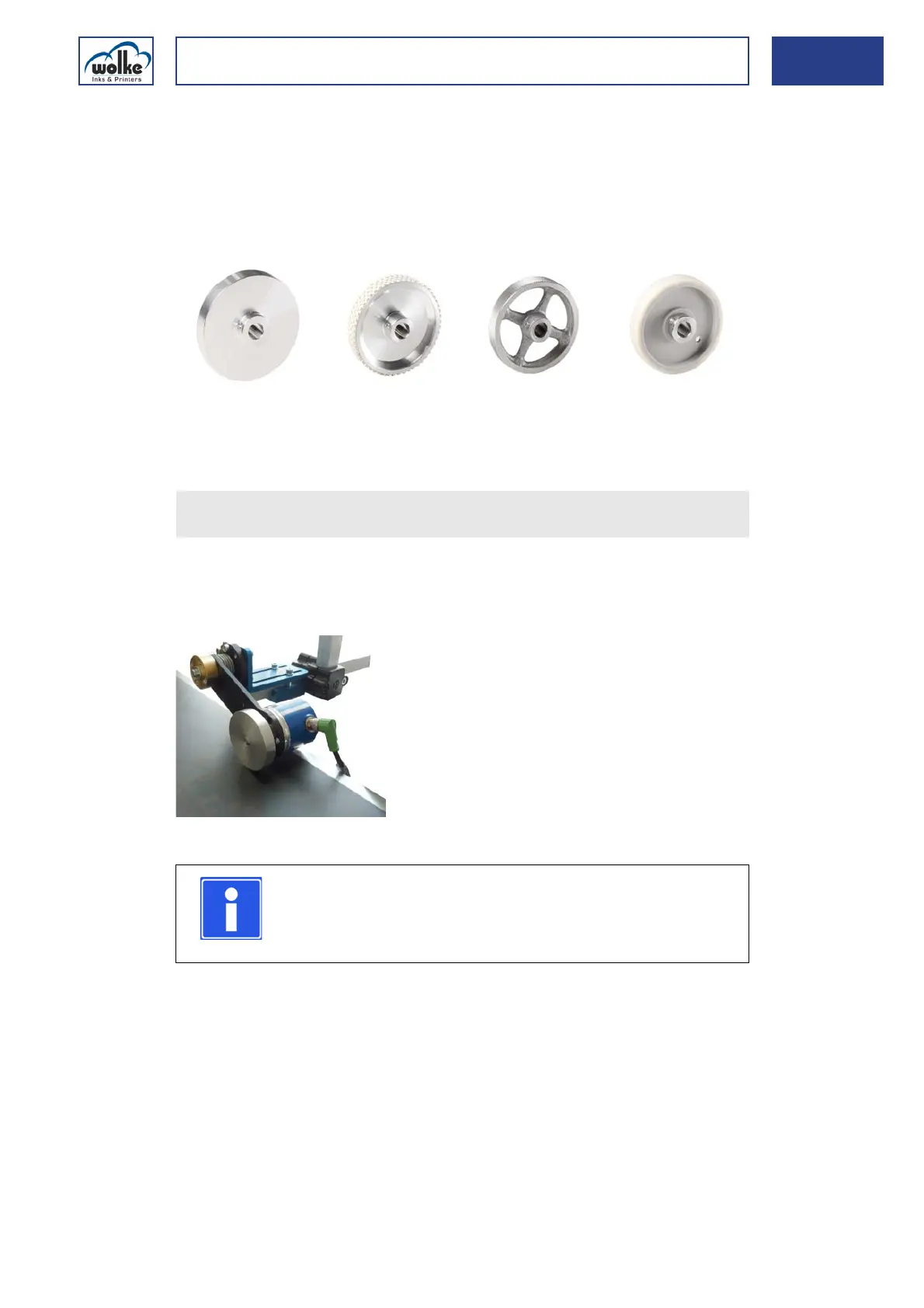
• Use the correct measuring wheel (aluminium/rubber/plastic) in order to
achieve speed measurements without slippage.
Fig. 4_39: Various measuring wheel versions
Installation of
the external
pulse generator
For optimum contact between the pulse generator and the conveyor belt,
a resilient pulse generator mount can be used (optional).
This mount enables the position and pressing pressure to be adjusted.
Fig. 4_40: Resilient pulse generator mount
Solid aluminium,
smooth (standard)
Aluminium with stud-
ded rubber cover
Solid aluminium
with cross spokes
Plastic, smooth
If you use a different pulse generator, please refer to Chapter 6.2.1,
"Pulse generator/Pulses/Speed"!
NOTE
Ideally you should avoid mounting the pulse generator on
the belt shaft or on the underside of the conveyor belt.
The speeds can well be different here.



 To Next Page