Installation
16 Manual m600 basic 2.6_01
4
Installing the
print heads
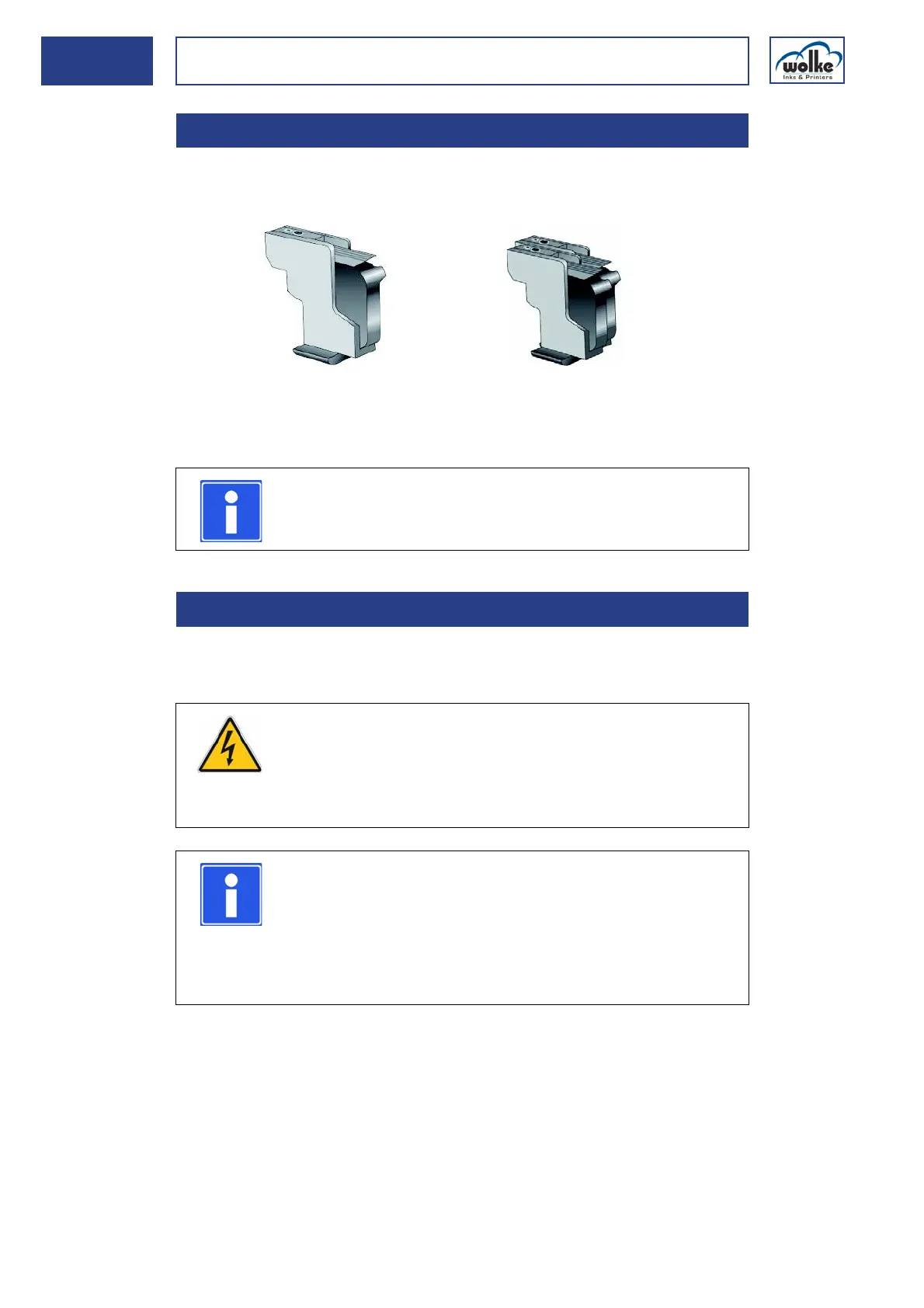
With the help of the scraper plates, the print heads can be installed either
individually or together.
Fig. 4_30: Printing head according to the number of print heads
Installation
position
When arranging and positioning the print heads on the line, it is important
to make sure that it is possible to replace the cartridges at any time.
4.3.3 Installing the print heads
NOTE
Before mounting the scraper plate, the print heads must
be interconnected by means of the enclosed screws.
4.3.4 Selection of a suitable installation position
Individual installation of one print head
12.7 mm print height per print head
2 print heads
Print height = 25.4 mm
WARNING
Risk of injury to hands from moving machine parts
When selecting the installation position, make sure that
the cartridges can be replaced at any time without any
danger.
NOTE
When planning the installation, please note that the opti-
mum distance between the nozzle plate on the cartridge
and the print material is between 1 mm and max. 3 mm.
The print head scraper plate can be directly in contact
with the product and is intended to provide protection for
the cartridge.
To this effect,
we recom-
mend the
mounting kit
in Chapter
4.1.



 To Next Page