Label
Manual m600 basic 2.6_01 119
7
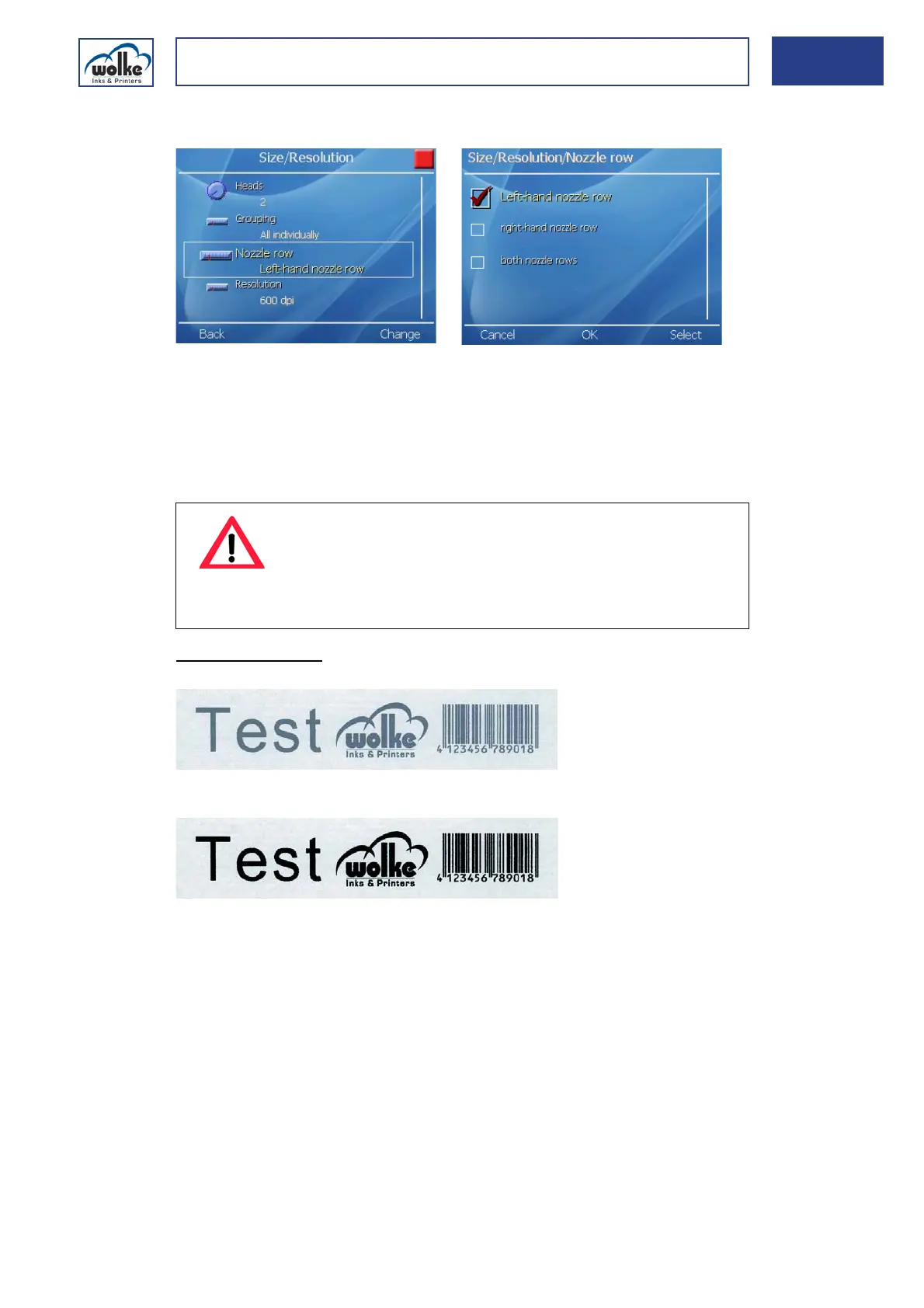
Nozzle rows
Fig. 7_206: Size & resolution – nozzle rows
Size and
resolution
The HP cartridge has two nozzle rows. This menu item is for selecting
whether to print with both nozzle rows or just one bank ("left"/"right").
With this setting you can choose between a vertical resolution of 300 dpi
and 600 dpi. This has an influence on the density value of the printed text
and therefore the ink consumption of the m600 basic.
Printing examples:
Fig. 7_207: Printing example with 1 nozzle row = 300 dpi
Fig. 7_208: Printing example with 2 nozzle rows = 600 dpi
ATTENTION
With a single nozzle row, the printed text is printed ver-
tically with 300 dpi, and with two nozzle rows, it is printed
with 600 dpi.
dpi = dots per inch (1 inch = 25.4 mm)



 To Next Page