Installation
Manual m600 basic 2.6_01 11
4
Terminals
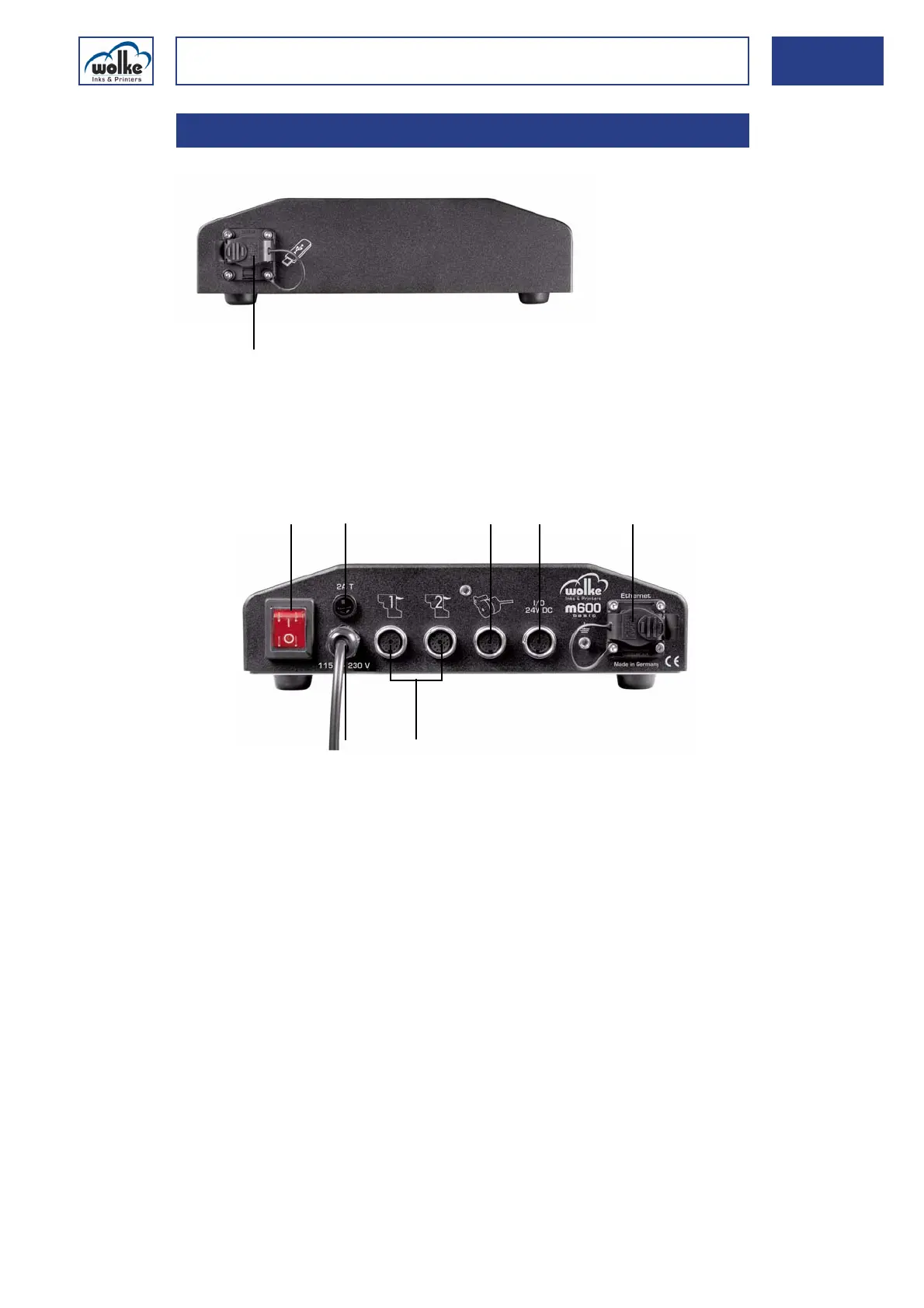
Fig. 4_21: Front side
The controller comes with the following terminals on the back for instal-
lation:
Fig. 4_22: Rear of controller – connectivity
4.2.2 Terminals
1 On/Off switch 5 Ethernet interface (optional)
2 Fuse 6 Terminals for print head cables
3 Terminal for the pulse generator 7 Power plug
4 I/O Terminal 24 V DC
When you con-
nect the compo-
nents, please
refer to Chapter
4.7.1, "Con-
necting the
printer compo-
nents".
For a detailed
list of terminals,
please refer to
Chapter 14.2,
"Terminals".



 To Next Page