Installation
22 Manual m600 basic 2.6_01
4
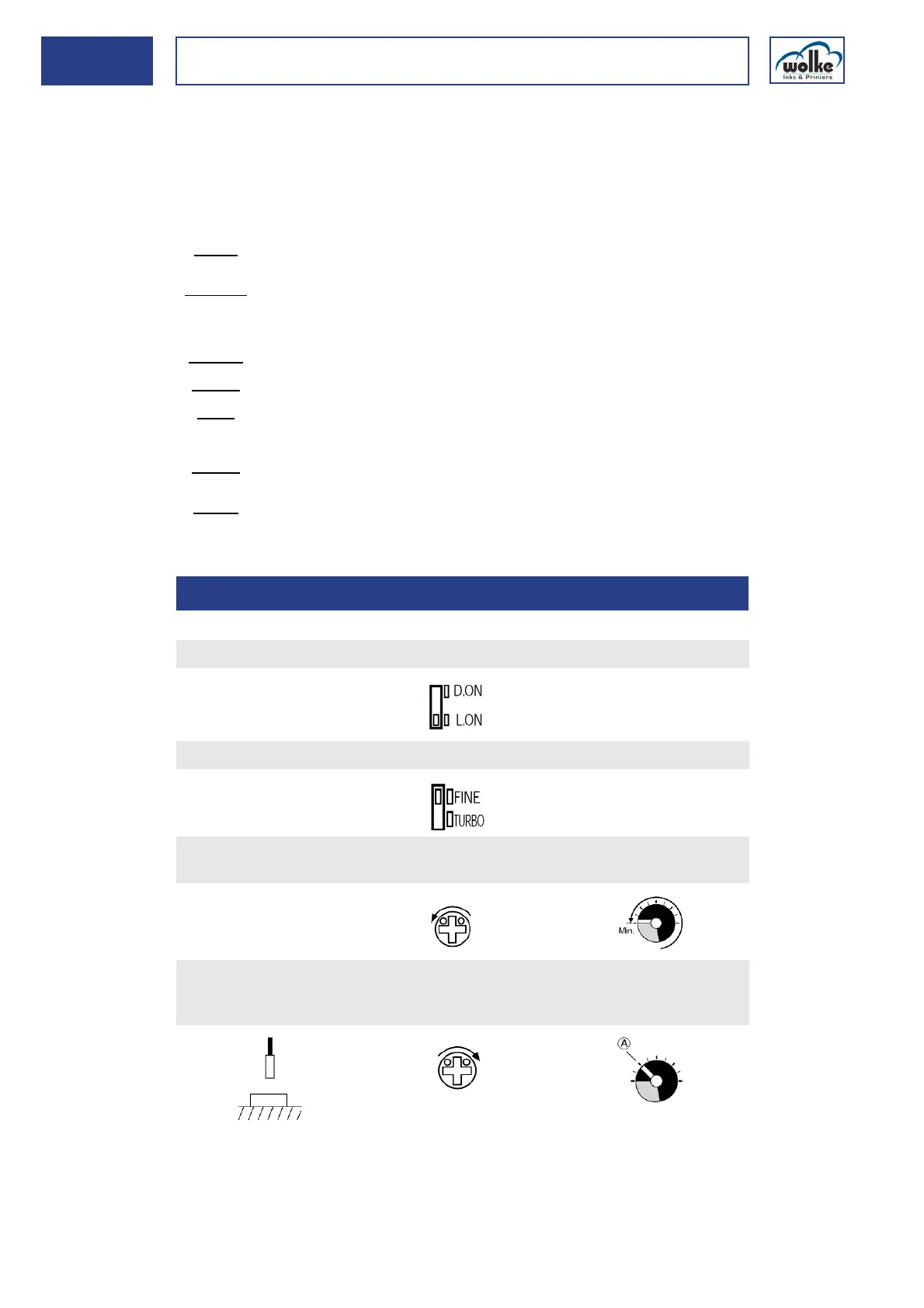
Sensitivity trimmer
Turning the trimmer in a clockwise direction increases the sensitivity.
Turning the trimmer in a counterclockwise direction reduces the sensitiv-
ity. Sensitivity varies according to the print material. Adjust the sensitivity
every time you use a different print material.
FINE/TURBO selector switch
Output timer selector switch
Output selector switch
Detection of a
measuring
object
FINE:
For recognizing minimal differences or for exact positioning (standard setting,
reaction time: 250 µs).
TURBO:
For recognizing an object across large distances or recognizing an object with
low reflection (teaction time: 500 µs).
OFF.D:
OFF delay, 40 ms.
ON.D:
ON delay, 40 ms.
OFF:
Delay switched off (standard setting).
D.ON:
The setting for special applications. The print resolution at the transition is
from reflective to non-reflective.
L.ON:
The print resolution at the transition is from non-reflective to reflective
(standard setting).
4.4.4 Detection of a measuring object
Set the D.ON/L.ON switch to the L.ON position.
Set the FINE/TURBO selector to position FINE.
Set the sensitivity to the minimum. Turn the trimmer until the indi-
cator is within the transparent display area.
Using a measuring object, set the sensitivity in the identification ar-
ea. To do so, turn the trimmer in a clockwise direction until the func-
tion indicator (red LED) lights up. This is point A.



 To Next Page